

Being a supervisor is a strange job.
Your success depends on work that isn't yours. You're responsible for making the director's vision real, delivering before the client's deadlines, and supporting the artist who's three reviews behind schedule. Every problem eventually lands on your desk, even when your name won't appear on the final shot.
With dozens of artists, hundreds of tasks, and constant change, the role can feel overwhelming. Your work is only as good as your systems.
The best supervisors rely on clear processes for tracking shots, managing communication, and making decisions under pressure.
This article breaks down best practices you can use to build your own and stay effective throughout a long production.
What A Supervisor Does
A supervisor's job is to remove blockers and protect the team's ability to do focused creative work. That's it.
Everything else, the reviews, the meetings, the spreadsheets, all of it exists in service of that mission.
If an animator spends two hours trying to get a rig approved when they should be blocking shots, you failed.
If a director's note from Tuesday still hasn't made it into the tracker by Friday, you failed too.
Your job is to make sure those blockers don't happen, or when they do, that they get fixed at a systemic level before they compound.
Why Tracking Is Key
A production with several animators, dozens of shots, and overlapping deadlines moves faster than any one person can hold in their head. A tracking system allows you to manage your department without relying on gut feeling and memory.
First, it keeps you informed: you know where every shot stands without having to ask ten people.
Pipeline tracking also enforces accountability, because when statuses are visible to everyone, "I thought that was done" stops being an excuse.
Lastly, and this is the one supervisors often overlook, it protects your artists. When workloads are tracked, you can see who's drowning and who has capacity before someone burns out. If one animator has twelve in-progress shots and another has three, you need to start redistributing some work. A tracker surfaces these problems earlier.
1. Shot and Task Management
It might be obvious if you worked in an established animation studio before, but production is most manageable when it's divided into its smallest useful units: shots, scenes, sequences, each with a clear status at every stage.
"In review," "approved," and "final" need to mean the same thing to your CG supervisor, your lead, and your production coordinator. Those definitions need to be documented and made easily accessible to everyone involved.
The choice of tool matters less than the discipline with which you use it. A well-maintained spreadsheet outperforms a half-used Shotgrid setup every time.
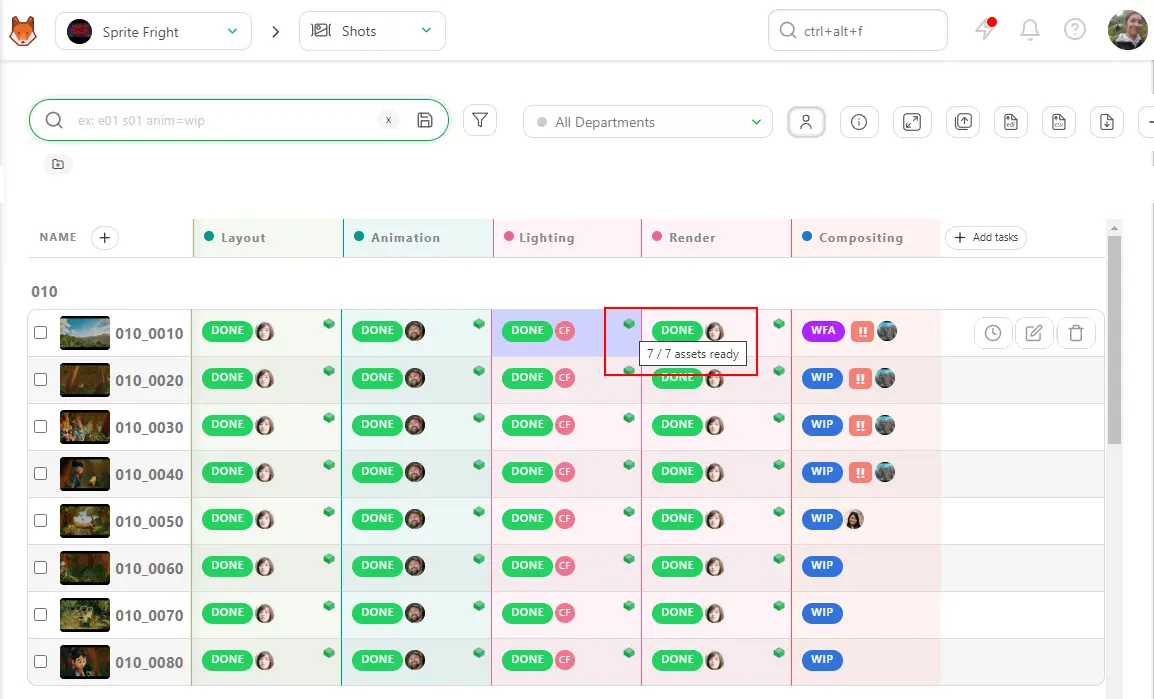
That said, dedicated production trackers like Ftrack, Shotgrid, or Kitsu offer real advantages when used consistently. Kitsu, for example, lets you build custom task statuses and workflows per department, so the animation team sees states relevant to animation, and the compositing team sees states relevant to comp, with no overlap or confusion between the two.
2. Scheduling
Not all shots are equal. A crowd scene with a dozen characters, complex lighting, and a full camera move is not the same as a simple two-character walk-and-talk, and production schedules benefit from reflecting those differences. Early development of a shot complexity matrix helps identify the most demanding shots, supports more conservative estimates, and allows schedule weighting based on actual workload. Productions that treat every shot as interchangeable often encounter the same bottlenecks at the same stage of production.
Weekly pace tracking provides a clear view of progress. The number of shots reaching "approved" status each week can be compared against the rate required to meet the deadline. When production falls behind schedule, earlier visibility in week three is far more useful than discovering the issue in week eight. Daily or weekly burndown charts provide that early warning, but planning should include a contingency allowance of at least ten to fifteen percent because animation projects tend to produce unexpected challenges.
Hard shots like crowd scenes, effects-heavy sequences, or shots requiring new rigs are best scheduled earlier in production because they are easier to troubleshoot when more time and budget remain available. Postponing complex scenes just exposes the production to unnecessary risk.
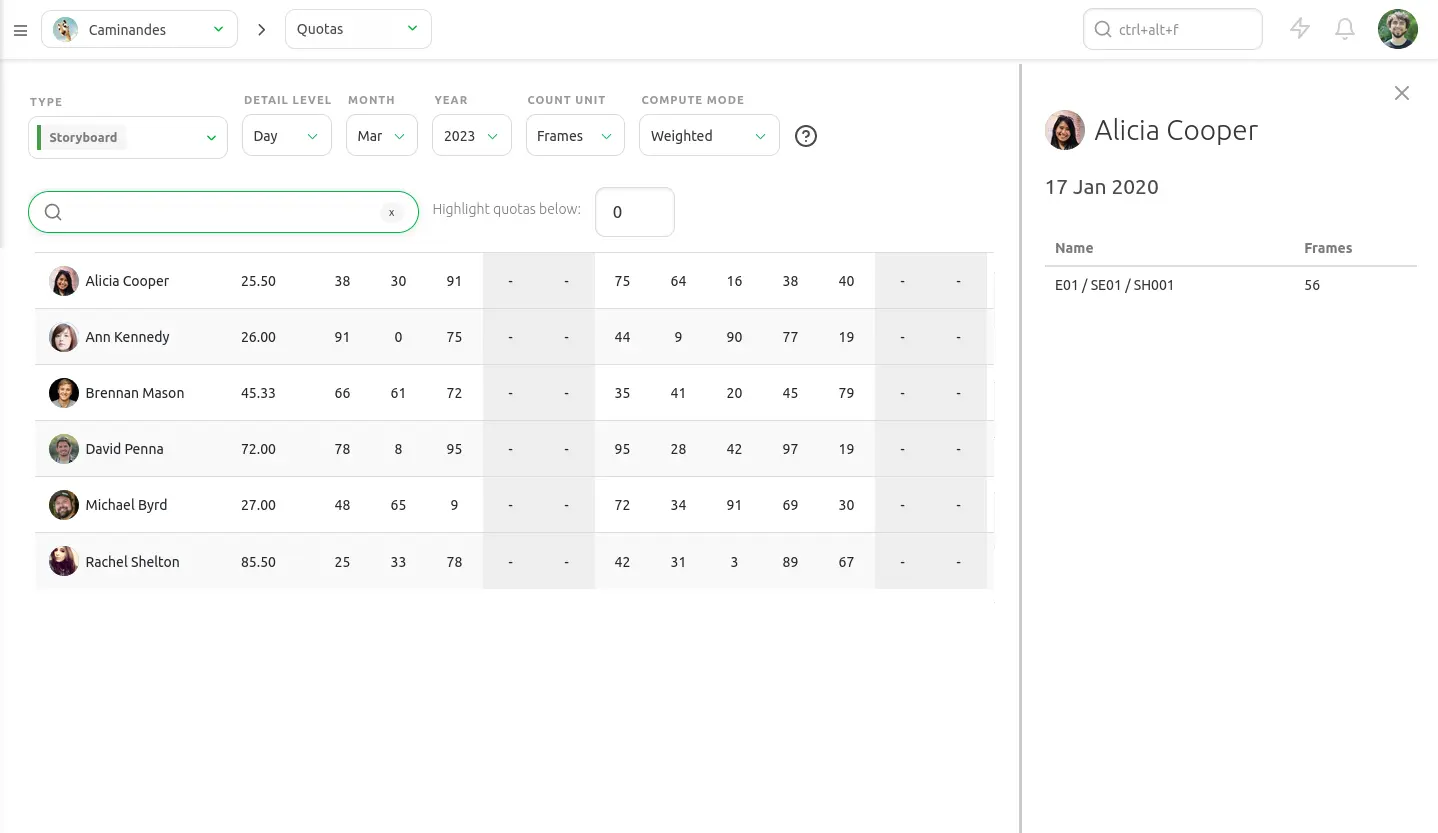
Kitsu's production dashboard and quota tracking give you real-time visibility into daily artist output and shot throughput, so pace slips are immediately noticeable:
3. Team Communication
Standups should be short and focused on blockers rather than updates. Fifteen minutes every day, for example. Status reports belong in the tracker. The standup is for the things the tracker can't flag: the animator who's waiting on a rig fix, the lead who hasn't received the camera layout yet, the review that got bumped and is now blocking three shots. A standup that regularly runs too long is a sign something isn't working.
A way to force useful feedback is to set a revision cap per shot. Three rounds of notes, then it escalates. Without a cap, shots can live in review indefinitely, and "one more pass" is how schedules slip by weeks. When a shot hits the cap without an approval, take it up with a director.
Creative and technical reviews are best kept separate. A director's time is expensive. Shots with rig problems, texture issues, or technical glitches should never reach the director's review session. The director should for example only receive shots where the question is whether the performance and staging are working.
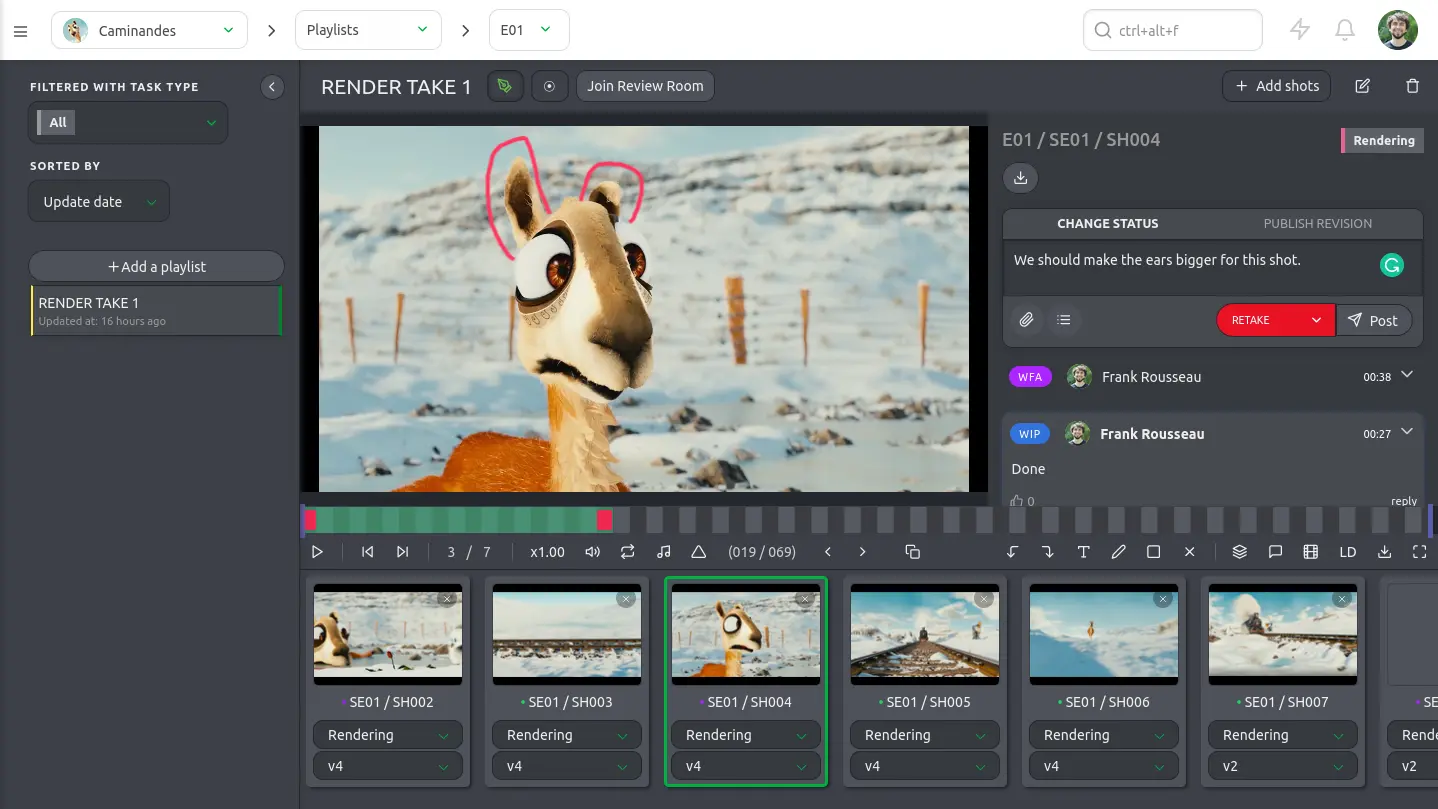
Every verbal note should be documented. If the director gives feedback during a session, someone in that room should write it down before the meeting ends, and it should go into the tracker the same day. Notes that live only in memory have a way of not existing by the following Monday. Kitsu lets reviewers log comments with frame-accurate annotations directly on a shot, which replaces the scattered emails and undocumented hallway conversations that haunt productions without a clear system.
4. Quality Control
Ideally, reviews should happen on the same hardware and display setup than the output target. Color grading and timing behave differently across monitors depending on FPS, resolution, and color space. Display-consistent reviews need to happen regularly, not just ahead of deliveries.
A shot continuity checklist is worth maintaining: scene-to-scene consistency in lighting, character proportions, and timing is easy to lose across a large team working in parallel. A character who's six feet tall in scene two and suddenly looks five-eight in scene five is a problem nobody notices until someone watches the whole sequence together.
Technical QC and creative review are separate. Frame range, naming conventions, missing frames, and file hygiene are checked in a dedicated pass that happens before any shot enters the creative review pipeline. One animator submitting a shot with the wrong frame count wastes the lead's review time if it slips through.
Full sequences need attention, not just individual shots. Problems in flow, pacing, and continuity are invisible when shots are reviewed in isolation. A weekly sit-down viewing of the sequence from beginning to end, without stopping, will surface things no per-shot review would catch.
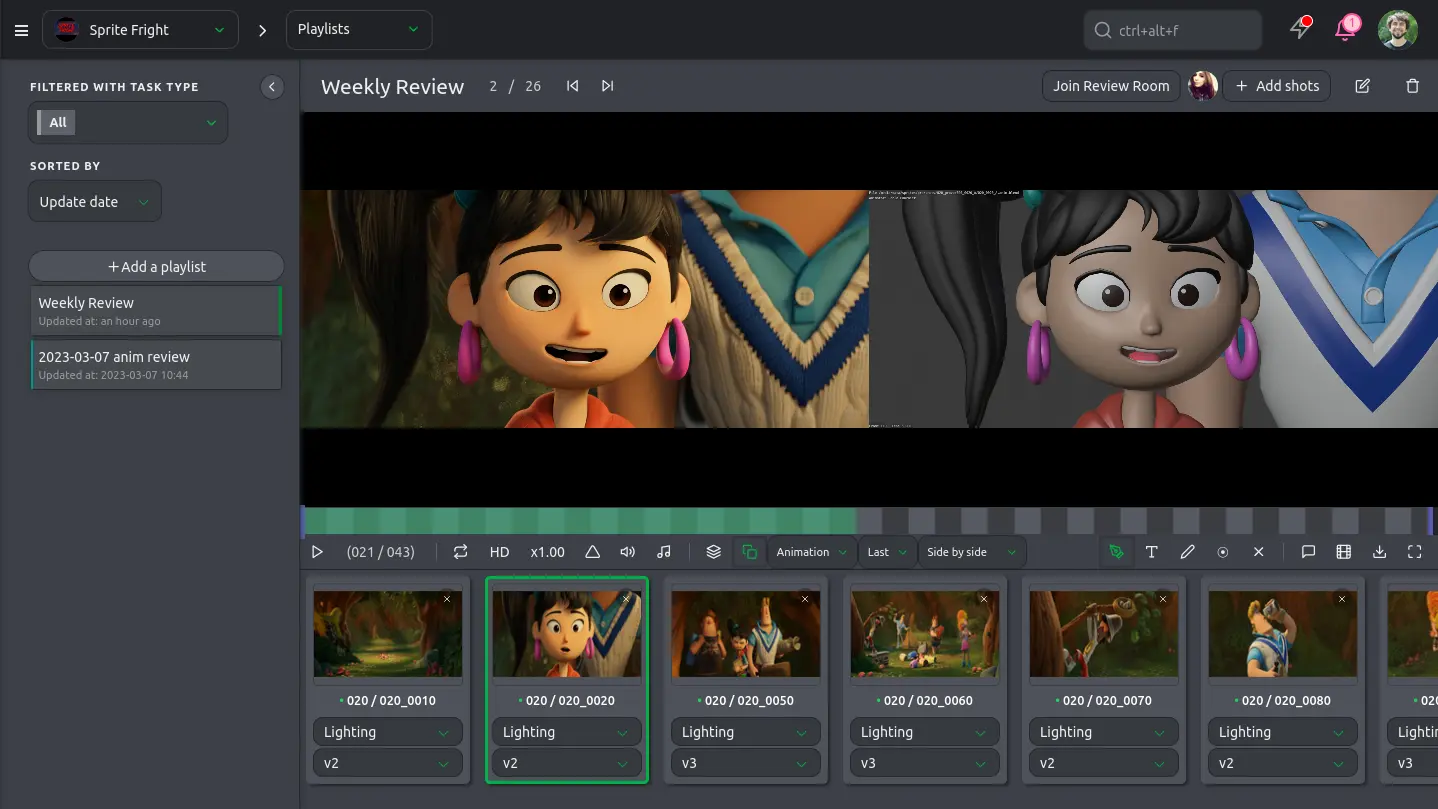
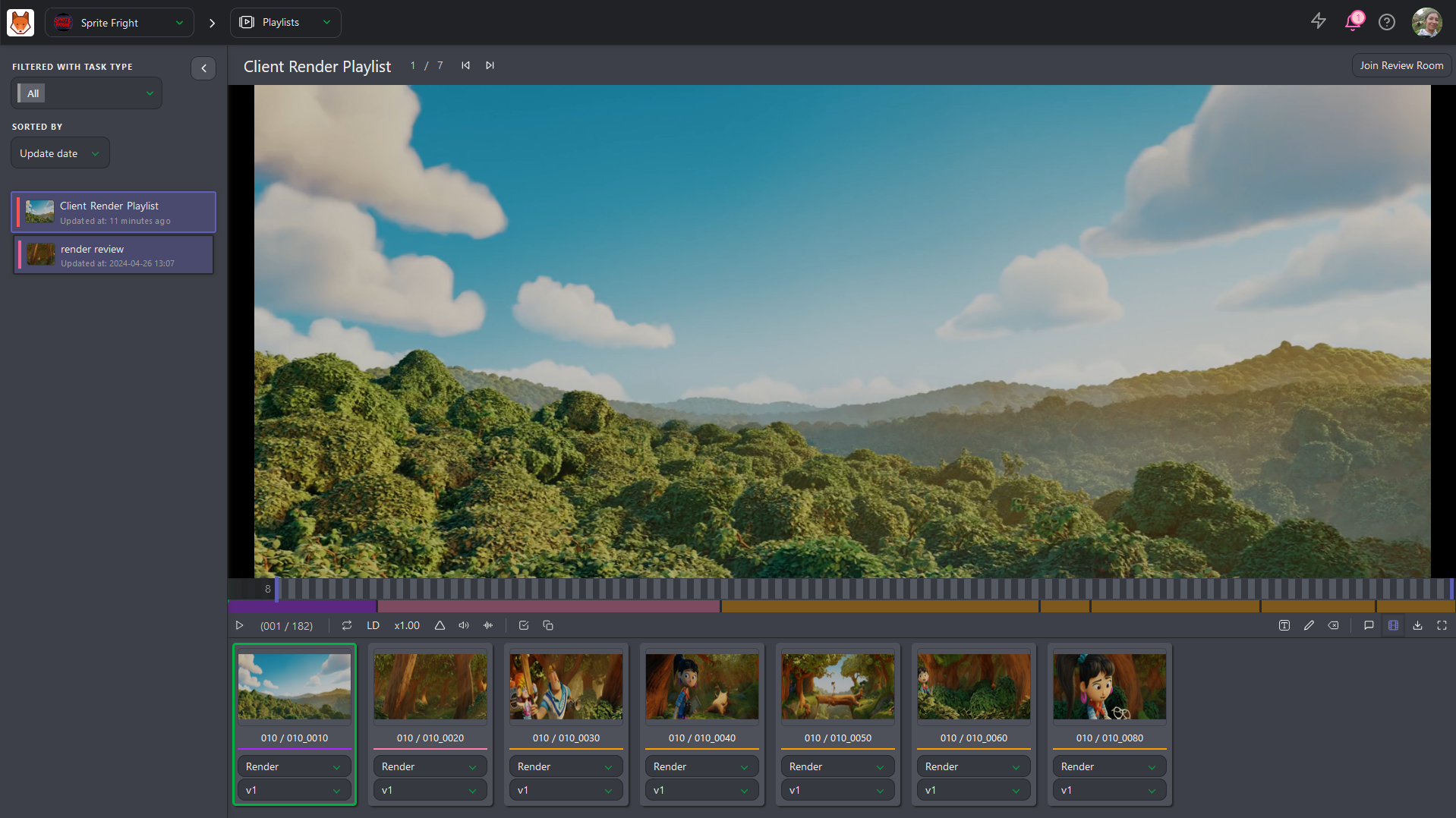
Kitsu's playlist feature lets both sequences and shots be assembled in order and reviewed in the browser with time-coded notes on any shot, without switching tools or losing the context of the full sequence.
5. Pipeline and File Management
Naming conventions, folder structures, and versioning protocols need to be locked in on day one and enforced consistently. Renaming assets mid-production is a reliable way to break downstream references across dozens of shots.
You also need to version everything, and never overwrite. Animators save to a new version every time, and finals go to a locked output location.
The version history is your safety net. Without it, the first time someone accidentally overwrites a final approved shot, you'll be scrambling to reconstruct work that no longer exists. Use a formal publish step before any asset reaches downstream departments. No one should ever be pulling from another animator's working directory.
Characters, rigs, and referenced assets can sometimes drift out of sync over the course of a long production. A periodic audit checking that all shots reference the current approved rigs and assets prevents the situation where half the sequence is using a rig that was updated three weeks ago.
Kitsu's open API and its Zou/Gazu libraries make it possible to automate the tedious parts of your pipeline: naming enforcement on ingest, version history built-in, and tool integrations that reduce the manual overhead on your pipeline team.
6. Stakeholder Relationships
So far we've mainly talked about managing artists, but your job as a supervisor also implies dealing with the director.
The director has a vision expressed in creative terms, "I want this shot to feel heavier". But it needs to become specific notes about timing, spacing, and anticipation. That translation work is yours.
When problems arise, you need to bring the director options rather than open questions. "What should we do here?" forces the director to generate solutions, which is not their job and not the best use of the limited time you have with them. "We can extend the scene by four frames to let the action breathe, or we can tighten the anticipation by two frames, and here's what each looks like" can result in a decision.
You could protect the team from scope creep with a formal change process. Any new request that arrives mid-production should trigger a brief assessment: how many shots does it affect, what's the time cost, and what gets bumped to accommodate it. Bring that assessment to the person making the request before any work begins to make the cost visible.
Kitsu's client review login gives directors and clients a simplified view: the shots awaiting their approval, a place to leave timestamped annotations, and the ability to trigger status changes, all without exposing internal production data or giving them access to every corner of the pipeline.
7. Personal Habits
A supervisor's log like a short daily private note capturing decisions made, issues raised, and changes approved is worth maintaining. It might sound like extra administrative overhead to you, but it's extremely useful to have a record when questions arise weeks later about who approved what, when a decision was made, or why a particular direction was taken.
Personal closeness to the hardest shots on the schedule matters, because they are the shots most likely to blow the timeline, and delegating them entirely to check-ins is a risk that doesn't need to be taken. The status of your three hardest shots should be as automatic as knowing your own address.
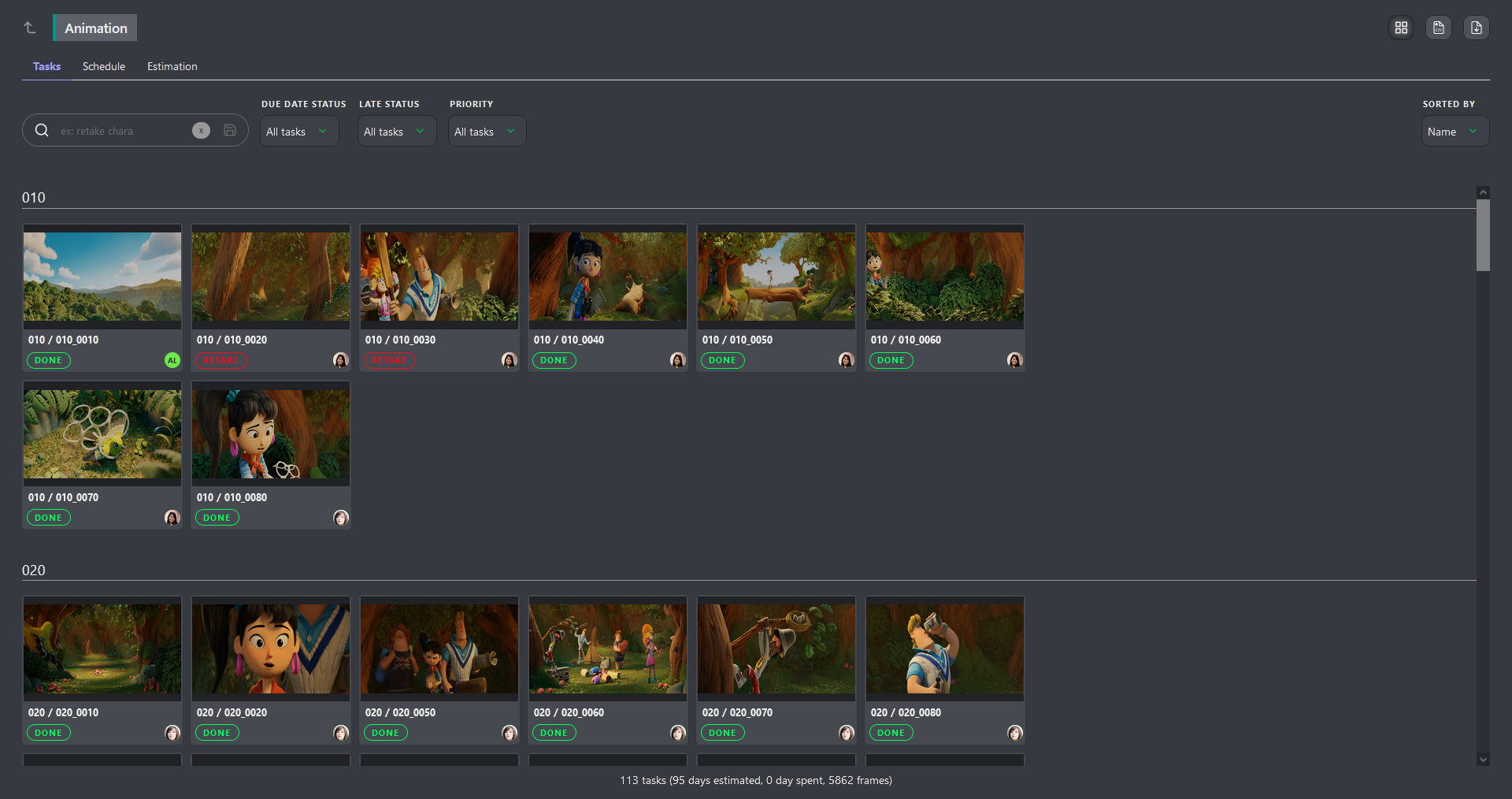
Kitsu's activity feed and task comments function as an ongoing, timestamped audit trail of every status change, note, and retake, which means the system itself does the majority of the log-keeping work for you. Each department supervisor also has access to a "My Checks" page to stay on top of where tasks are:
The Right Pipeline Tracking System Changes Everything
Being a supervisor is one of the harder jobs in production, and nobody who's went through it would tell you otherwise.
The responsibilities are large, the margin for error is small, and the work is often invisible: a good supervisor is one whose team never knows what problems they didn't have.
But the right system makes it manageable and makes the work genuinely satisfying for the whole team. When the production runs cleanly, when the artists are protected and focused, when the director gets what they need without the team burning out, that's the job done well.
If you're building or rebuilding your tracking setup, Kitsu offers a free tier worth starting with. The best tool is the one your team will actually use consistently, and starting from something well-designed is a better foundation than inheriting a spreadsheet nobody fully trusts.