Kitsu Is Evolving: A Roadmap Built With Studios
Gwénaëlle Dupré, Chief Product Officer at Kitsu, took the stage at the 2026 Kitsu Summit to walk attendees through the platform's newest features and share a clear, quarter-by-quarter roadmap for 2026. The session combined a live demo with a conversation about where animation production management software needs to go next.
Gwénaëlle has been one of the most visible faces of Kitsu, the open-source production tracking platform developed by CGWire. As CPO, she sits at the intersection of user feedback and product direction, and the Summit gave her a room full of animation studio professionals to speak directly with.
A Smarter Production Schedule
The most significant live feature Gwénaëlle demonstrated was the upgraded production schedule. On the surface, the schedule view looks familiar, but it now supports several gestures that remove tedious manual work.
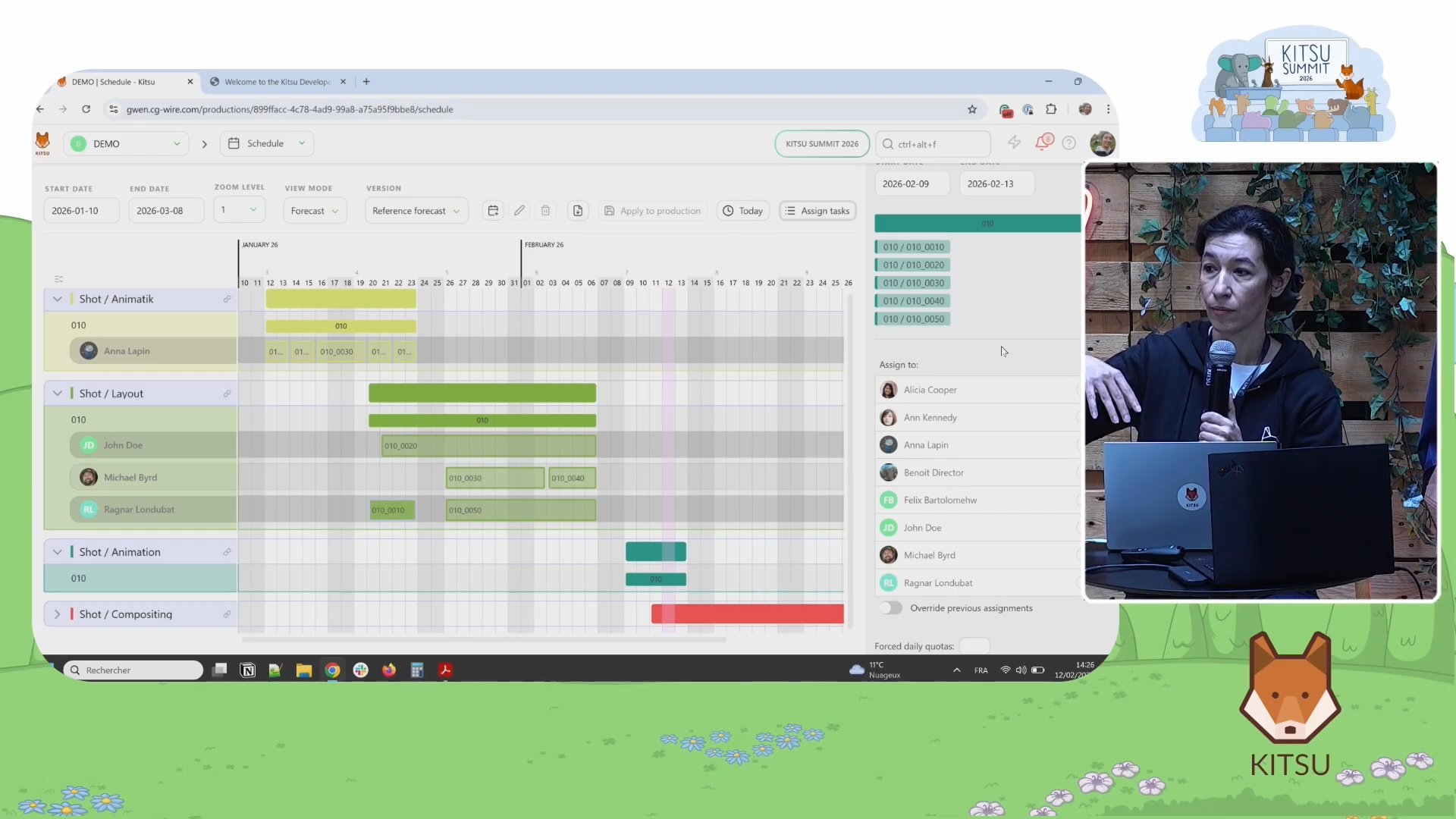
- Drag-and-drop task assignment lets a production manager move a task from one artist to another directly on the schedule timeline. Adjusting a task's start and end date requires nothing more than clicking and extending a bar. For studios that deal with dozens or hundreds of shots, this kind of direct manipulation removes a real bottleneck.
- The other scheduling improvement addresses a common early-production situation: tasks that exist but have not yet been assigned to anyone. Rather than opening each task individually, a manager can now select a group of unassigned tasks and drop them onto the schedule in one action. Kitsu then handles the distribution. As Gwénaëlle put it: "Kitsu is not your production manager and will not know exactly that this shot is harder than the other. It is just a way to do the heavy lifting."
Estimation vs. Reality, Visualized
Once a schedule exists, the question becomes whether reality matches the plan. Kitsu now layers multiple sources of truth onto a single task timeline:
- The estimated duration appears as the length of the bar itself.
- Status milestones appear as colored vertical lines showing when an artist actually started a task, when it went to first review, and when it received final validation.
- Timesheet data appears as a thin line on top of the estimation bar, reflecting the actual hours an artist logged each day.
These three layers let a production manager see, at a glance, whether the original estimate held up. No more switching between a spreadsheet and the task view to piece together a picture.
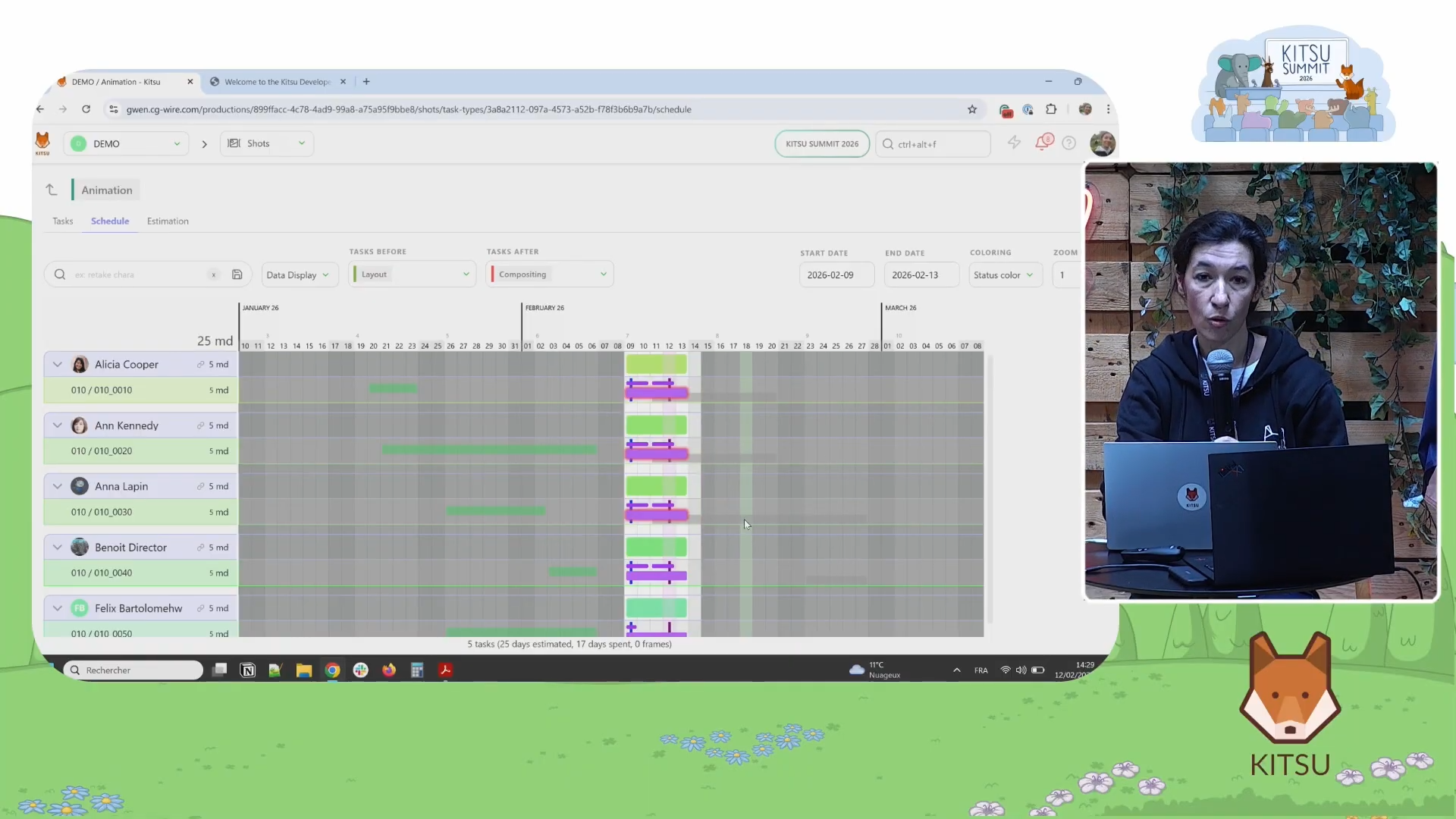
Kitsu also shows the tasks immediately before and after any given task. A green bar on the left signals that the upstream task (for example, layout) has already been validated. A red-highlighted bar on the right signals that the downstream task (for example, compositing) is already overdue to start. This gives supervisors a fast visual warning before a bottleneck becomes a crisis.
The Schedule Inside the Task Page
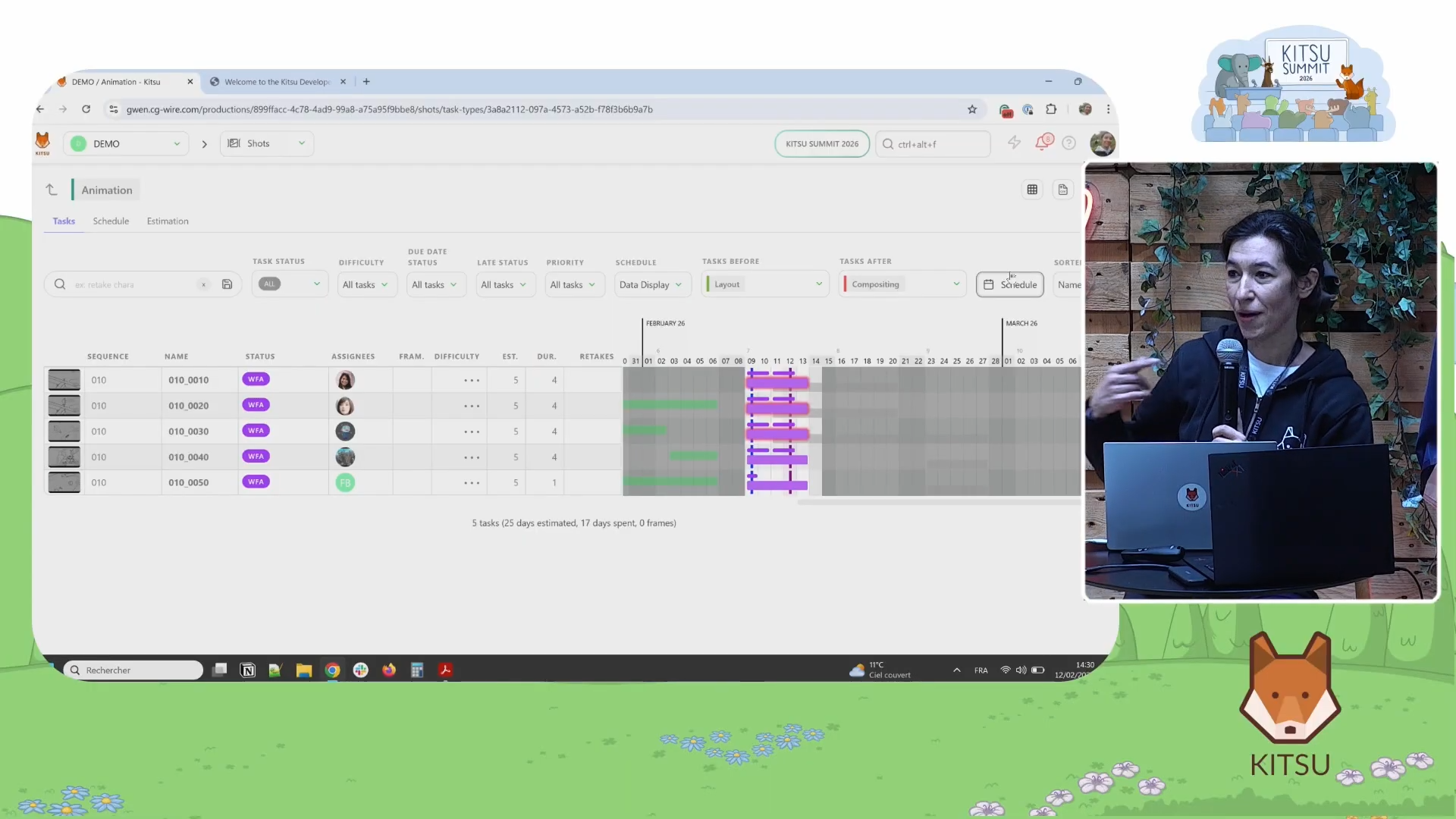
Previously, viewing the schedule meant navigating away from the shot or asset page. Kitsu has now embedded the schedule directly into the task page. A single button toggles the schedule view on, so a production manager can review timing, make adjustments, and stay in context without any back-and-forth navigation.
Budget Tools: A First, Practical Version
Gwénaëlle was clear that the budget feature is a first step, designed especially for smaller studios and agencies rather than large productions with complex accounting. But for studios that currently track costs in spreadsheets, it's better than the alternatives!
The foundation rests on a few new fields in the people directory: position (supervisor, lead, or artist), seniority (senior, mid, or junior), and daily rate. Only studio managers can see this information.
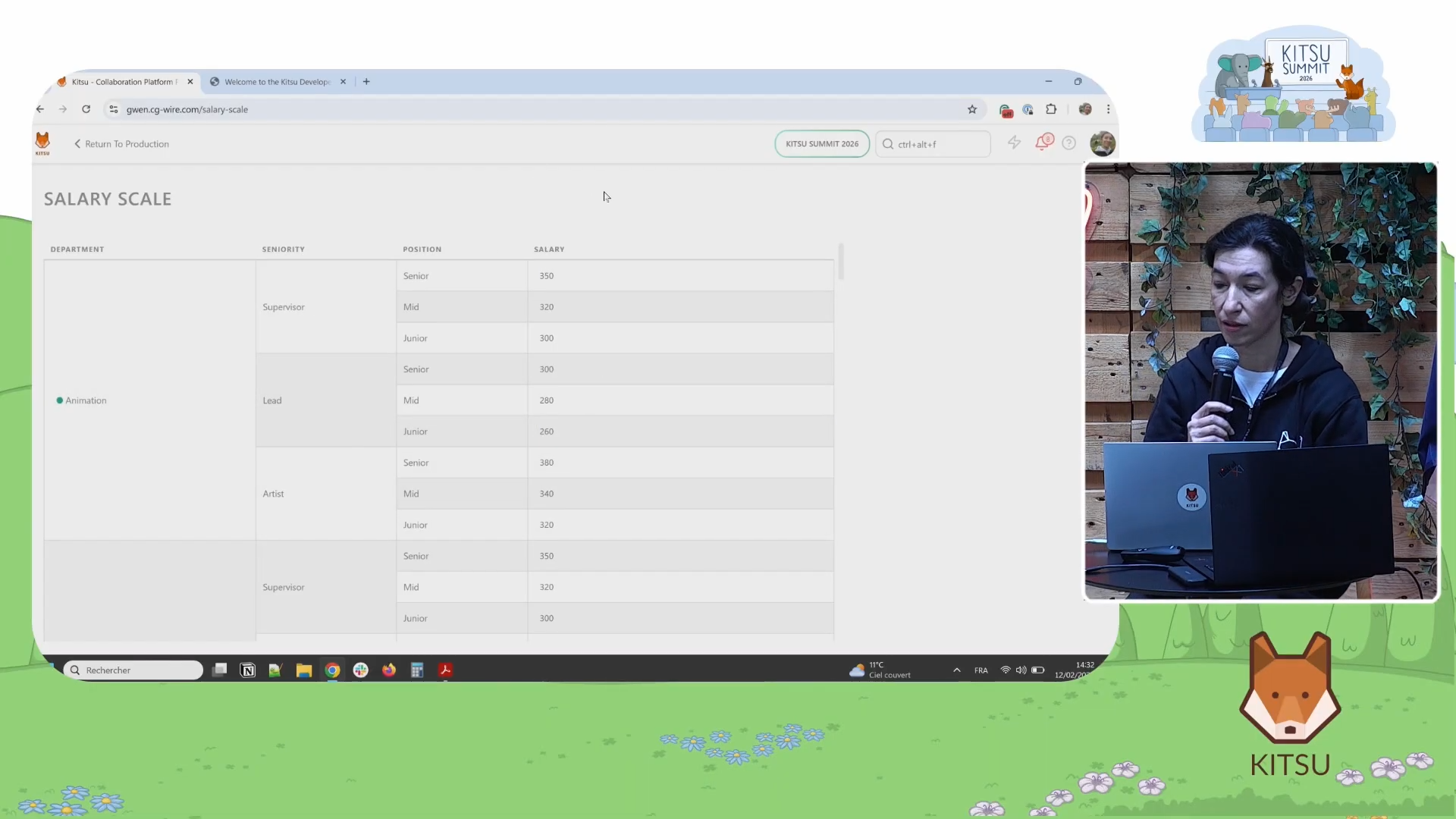
From there, studios can define a salary scale per department, which makes it possible to plan a budget before specific people are hired. If a studio knows it will need a senior animator for three months but does not yet know who that will be, it can model the cost using the department scale.
The budget view also accepts software license costs and hardware costs, each linked to the relevant department. Because Kitsu knows which artists belong to which department, it can automatically calculate how many licenses remain available as the team grows.
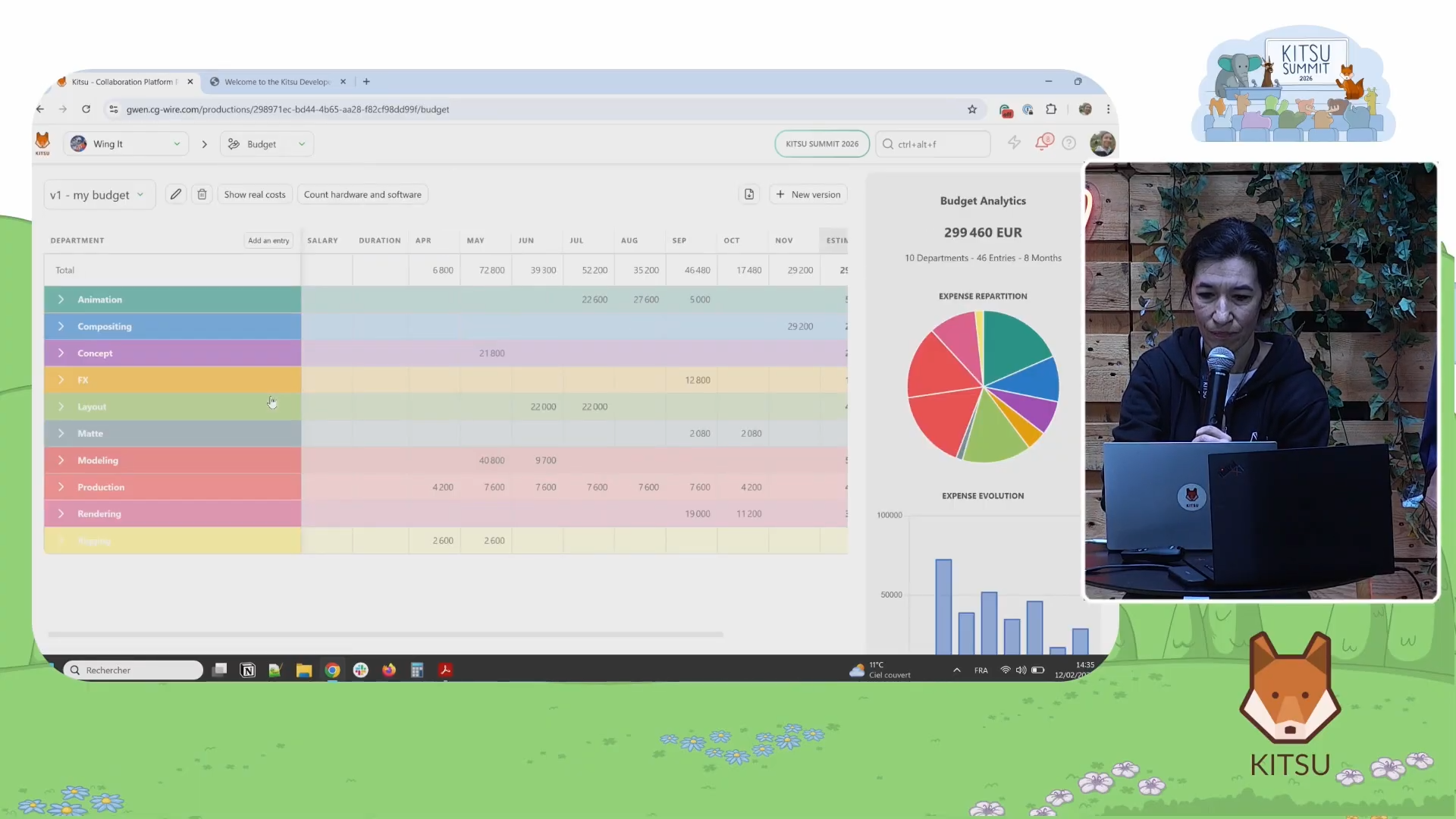
The full budget overview shows a monthly breakdown of projected spending, a department-by-department cost split, and a comparison between estimated and actual costs drawn from timesheet data. Studios can save multiple versions of the budget as a production evolves, keeping a record of how estimates changed over time. As Gwénaëlle explained: "You estimate this amount of money that will go out. This is the real cost. Maybe you're above, maybe you're below. I hope your estimate will match because you planned everything perfectly."
Two Features Worth Knowing About
Beyond scheduling and budgets, Gwénaëlle highlighted two smaller additions that are already live.
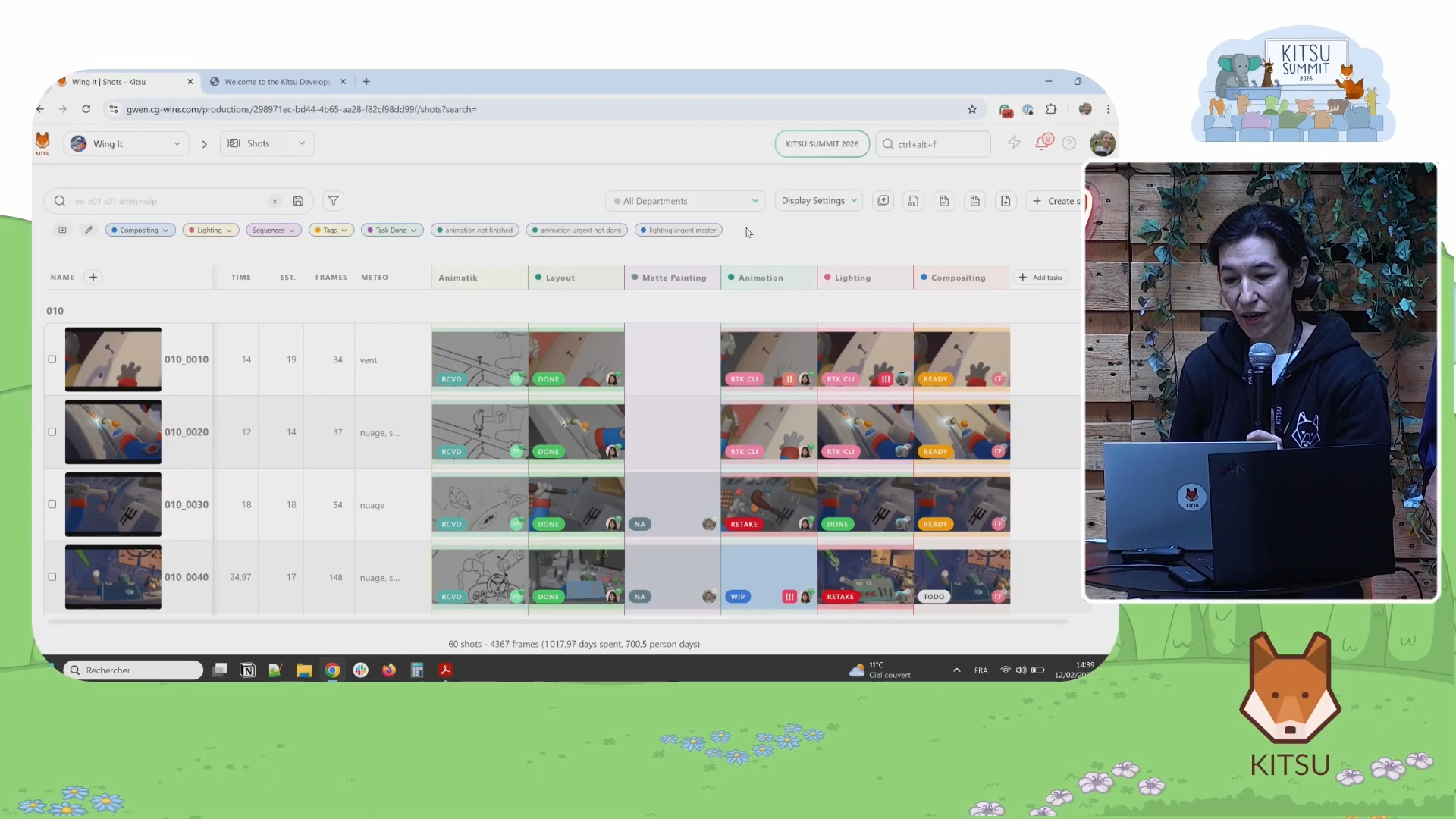
- Contact sheet view lets a studio see its entire production as a grid of thumbnail images rather than a list of tasks. The same filters that work everywhere in Kitsu apply here, so studios can narrow the view by status, department, or assignee while keeping the visual overview intact.
- Task-based playlists add a second axis to the existing playlist tool. Where the original playlist moves through shots in sequence, the new view lets a reviewer look at multiple tasks for the same shot side by side. This is useful when different parts of a shot (for example, animation and lighting) need to be reviewed simultaneously rather than sequentially.
The Plugin System: Kitsu as a Platform
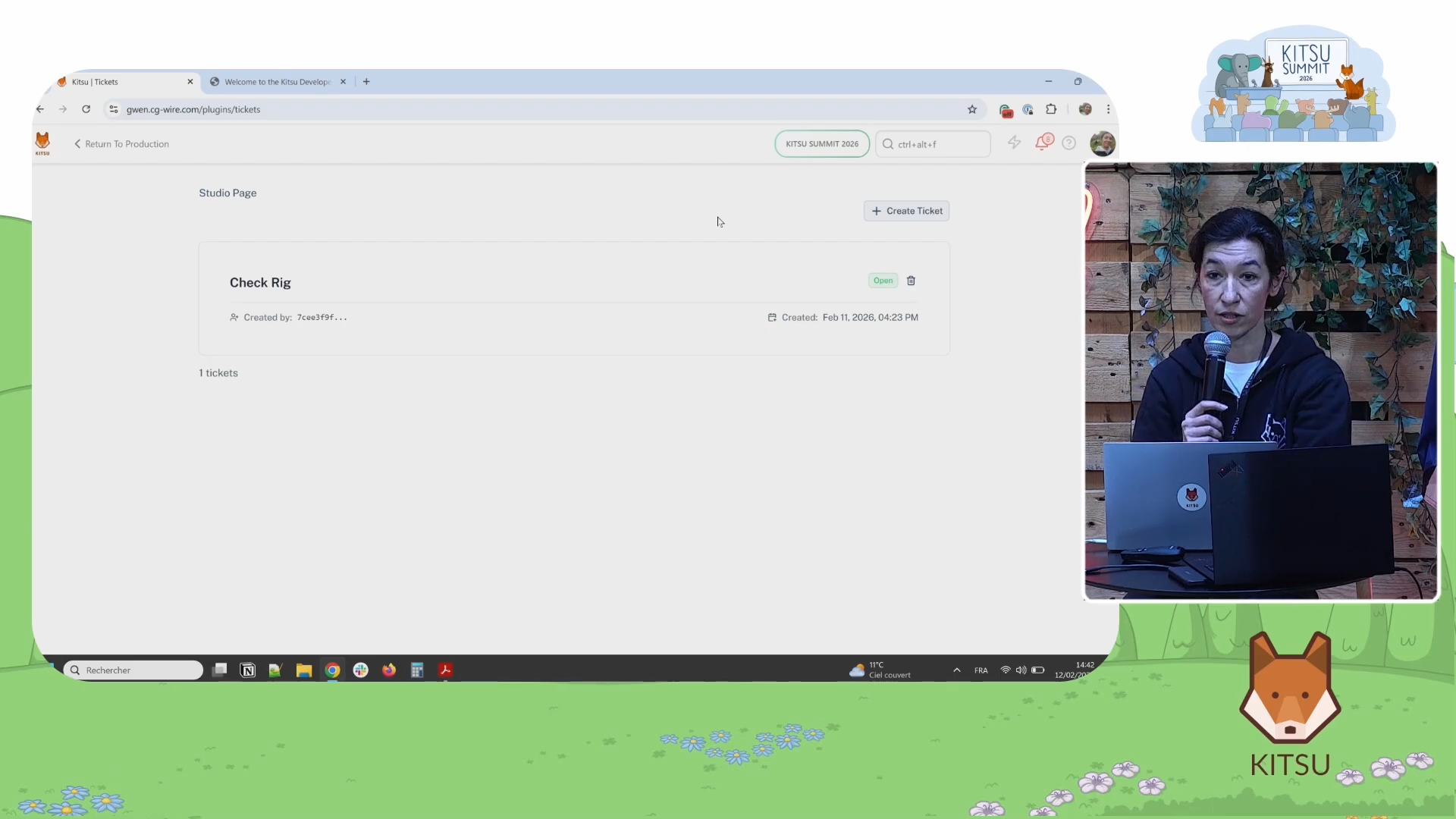
The most forward-looking announcement in the live portion of the talk was the introduction of a plugin system. Kitsu can now be extended with custom-built features that sit inside the interface and follow the same visual language as the rest of the tool.
Gwénaëlle's example was a simple ticket system, demonstrating that the plugin API is accessible even without deep engineering experience.
The longer-term vision is a community marketplace where studios share and install plugins built for common needs: "A lot of people create a plugin for Kitsu, and then there is a marketplace that you can pick from, depending on what you want and what you need."
Supporting this, Kitsu has consolidated its developer documentation into a single location, replacing scattered references across multiple sites. The goal is to make it possible for anyone with basic development knowledge to build and contribute.
The Roadmap: Phase by Phase
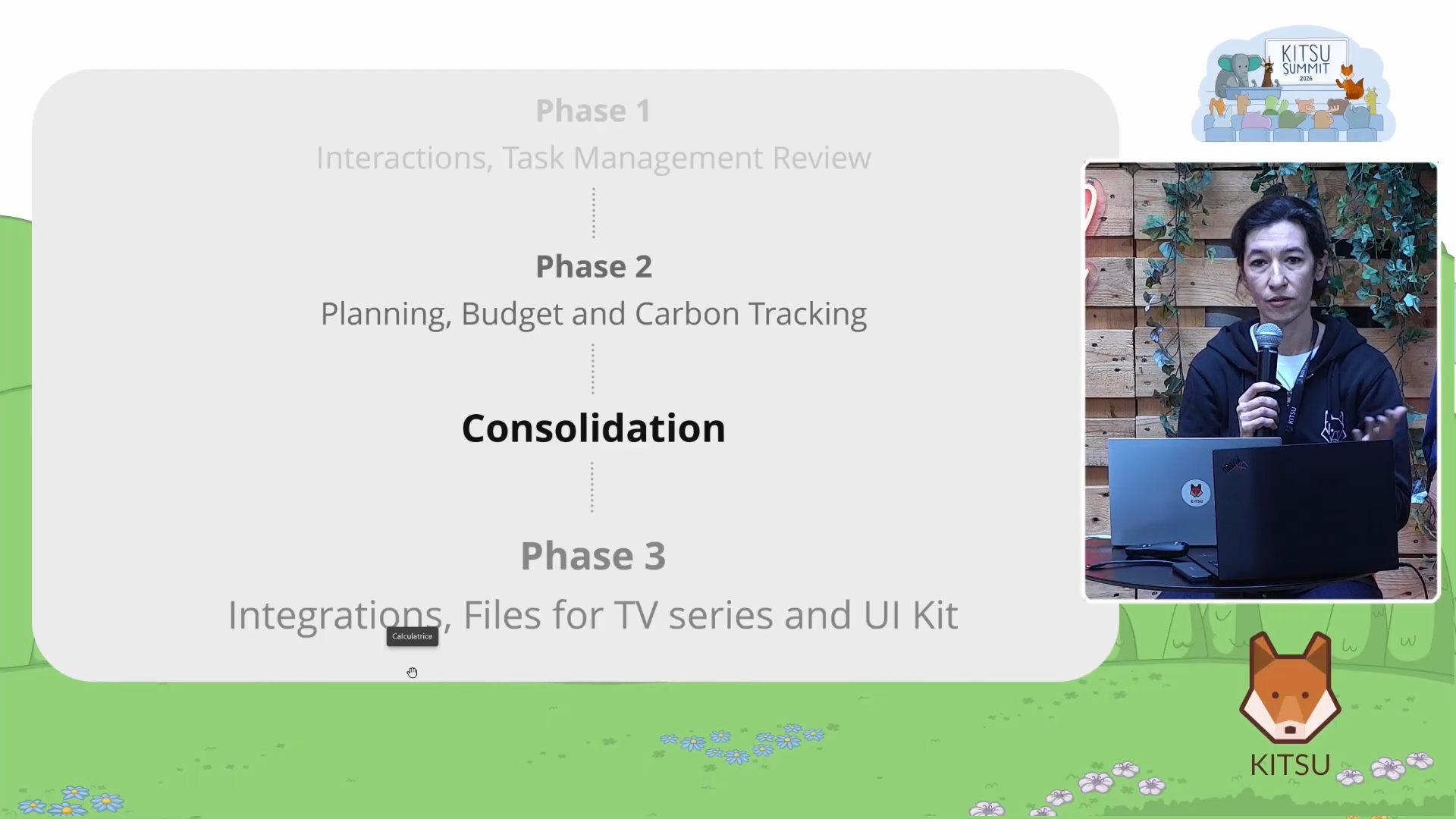
Gwénaëlle organized Kitsu's development into three phases. Phase one (task management, review workflows, and basic integrations) is complete. Phase two, which the current release belongs to, centers on scheduling, budgeting, and carbon tracking. Phase three will focus on deeper integrations, a file format approach for TV series, and a UI kit for third-party tools.
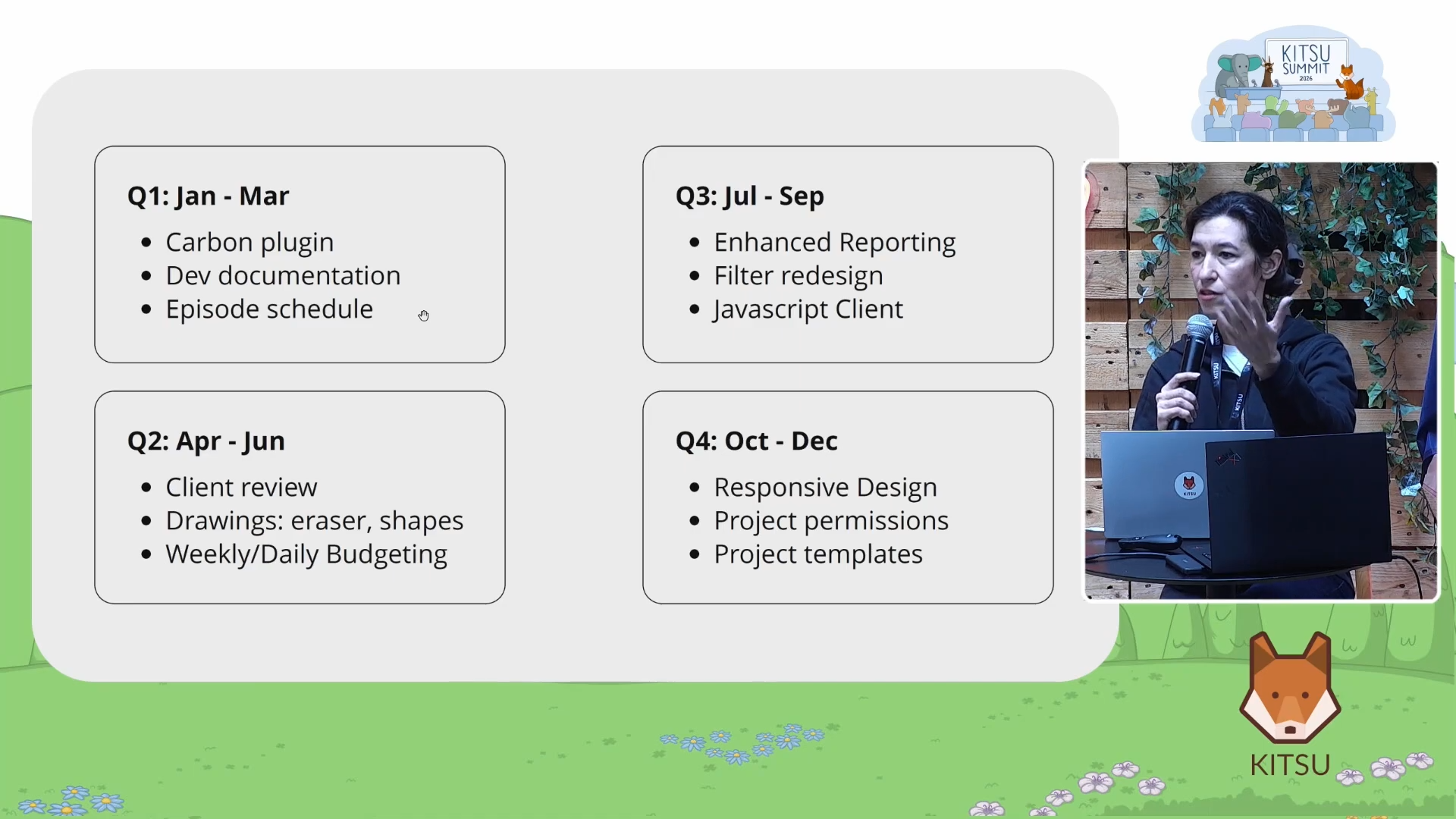
Here is what is planned for the rest of the year:
- Quarter 1 - Carbon plugin, developer documentation, episode scheduling. The carbon plugin will let studios measure the environmental footprint of their Kitsu usage. Episode scheduling will extend the timeline view so TV series can drill down from the episode level into individual shots, matching the depth already available for short-form productions.
- Quarter 2 - Client review, drawing tools, weekly and daily budgets. The client review improvement aims to simplify the experience for external stakeholders who do not need full Kitsu access. Secure links will replace the login-and-password flow, and the links will still record who viewed what. The drawing tools update will add an eraser and basic shapes. Weekly and daily budget breakdowns will make the tool more practical for short productions.
- Quarter 3 - Enhanced reporting, improved global filters, JavaScript client. This quarter focuses on production managers who need better at-a-glance data. New report pages and more flexible filters will make it easier to surface the information that matters. The JavaScript client (comparable to the existing Python library, Gazu) will allow developers working in JavaScript-based tools like Prism to read and write Kitsu data programmatically.
- Quarter 4 - Responsive design, project permissions, project templates. Mobile support will focus on the review workflow first. Project permissions will let studios set access rules at the production level rather than applying everything studio-wide. Project templates will allow a studio to define a standard pipeline once and reuse it, either from a saved template or by duplicating an existing production.
What This Means for Animation Studios
The thread running through all of Kitsu's development is the same: reduce the number of tools a production team needs to switch between, and make the information that already exists in the system easier to act on.
Scheduling, budgeting, review, and reporting are not separate problems. They share the same data: who is working on what, for how long, and at what cost. Kitsu is building toward a version of itself where a production manager can answer all of those questions from a single interface, without exporting to a spreadsheet or maintaining a separate project plan.
For studios that still track production in a mix of shared documents, email threads, and disconnected tools, this is the practical case for moving to a purpose-built platform and keeping it updated. The features Gwénaëlle demonstrated are live. The roadmap is public. And the development process, by her own description, runs on direct feedback from the studios in the room. All we are waiting for is you!