Over the course of his presentation at the 2026 Kitsu Submit, Pete Draper walked attendees through two major chapters of his career and how Kitsu, the open-source production tracking platform developed by CGWire, became the operational backbone of both.
His story is a masterclass in how a small team can use the right tool to manage large-scale complexity without losing their minds.
Pete is a VFX supervisor with nearly three decades in the industry. He set up a studio in India in 2009 and worked on roughly 40 to 50 films there, including the celebrated Indian blockbuster RRR, which was submitted for Academy Award consideration and reached the shortlist of 23 nominees in the International Feature Film category.
He later transitioned into advertising technology (virtual product placement) where he served as a key production leader at a company called Ryff.
His talk draws directly from both experiences, but the bulk of his presentation focused on Ryff, where the production challenges were unlike anything traditional VFX studios typically encounter.
The Problem: Hundreds of Projects, No Central Spine
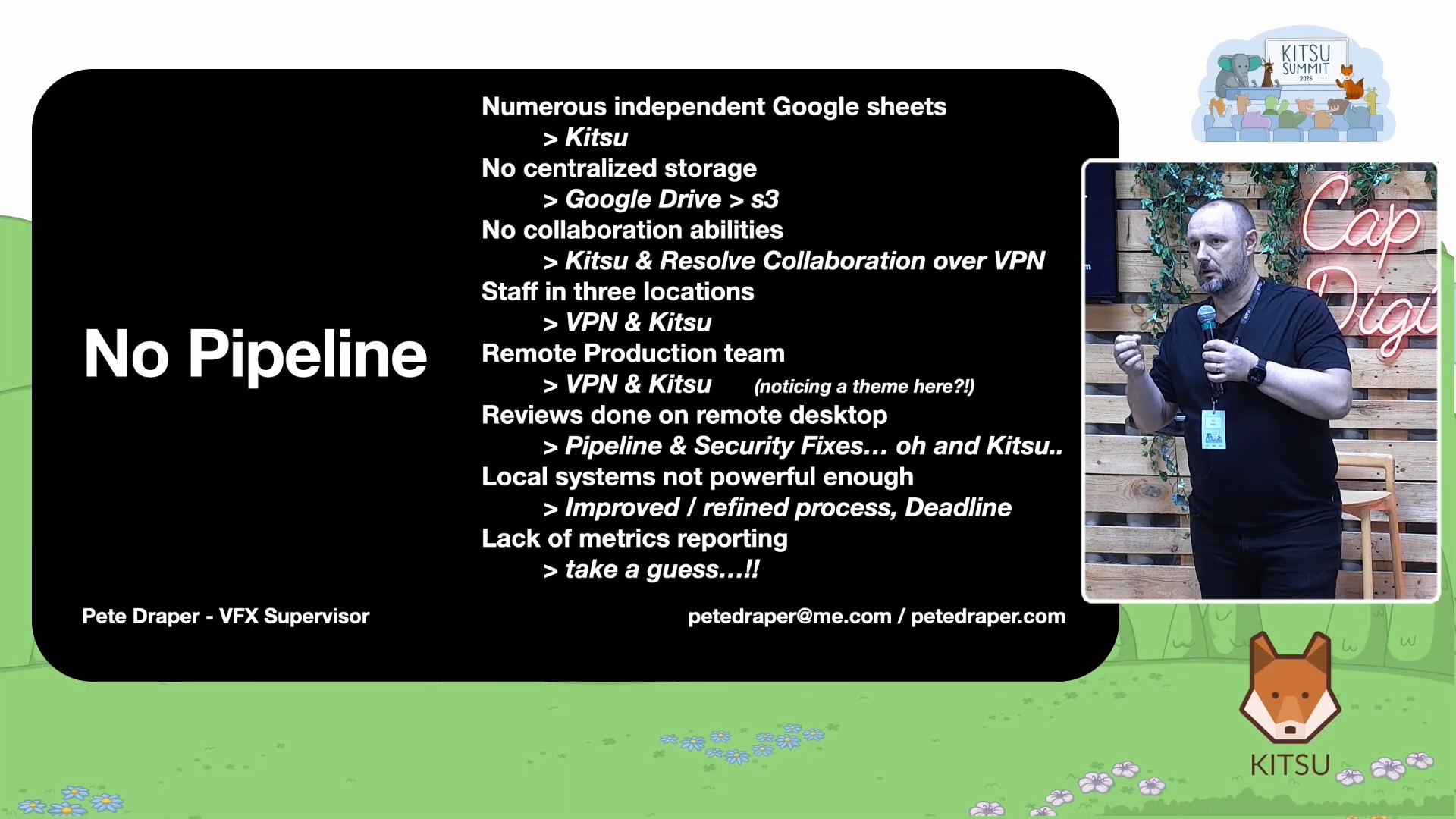
When Pete joined Ryff in 2022, the company was operating on what he called a "back of a napkin" system: despite handling a significant volume of work, the production infrastructure was fragmented in every direction.
There were numerous independent Google Sheets with no central production storage, teams spread across three locations, reviews happening on remote AWS systems because local machines were not powerful enough, and no metrics or reporting system of any kind.
As Pete put it, "Everything was basically done through contractors, freelancers, and devs, and nothing was being tracked as far as a production process was concerned."
To understand why this mattered so much, it helps to understand what Ryff actually did.
The Business: Virtual Product Placement at Scale

Ryff operated a platform that used AI to analyze films and television shows, identifying surfaces, screens, and empty spaces where brand placements could be digitally inserted after the content was already shot and distributed. Like a brand logo appearing on a table during a dinner scene, or a billboard replacement visible through a car window during a chase sequence.
The company had two sets of clients: content owners who supplied the shows and films, and brands who paid to have their products placed within that content. Matching those two sides together created an extraordinarily complex production matrix: a single deal could require 10 placements across five different shows, all for the same brand, but licensed only for specific regions and time windows. When a license expired, a different brand could come in and take the same placement location, requiring the entire composite to be rebuilt with new assets.
At the time of Pete's departure, Ryff's primary storage held around 46,000 titles and approximately 146,000 unique placements.
Each placement could correspond to multiple shots, meaning the actual shot count was exponentially higher.
On a single season of one show, the World Poker Tour, the team processed around 1,700 shots across 34 episodes, each containing between 40 and 100 shots, all on a turnaround of 24 hours per episode.
This is not the kind of problem you can solve with a spreadsheet.
Discovering Kitsu During RRR
Pete first encountered Kitsu in late 2018 during the production of RRR. His team had cycled through several production trackers already: Tactic, Cerebro, Ftrack, ShotGrid, and others. None of them fit.
"It was just kind of out of the blue that CGWire's Kitsu came to light during one of my Google searches," he said.
He tested it, showed it to his team, and the response was immediate: "Not just the production guys, but also the artists as well. It was straightforward. It was simple. You didn't need a degree in computer science like you do with Tactic, for example."
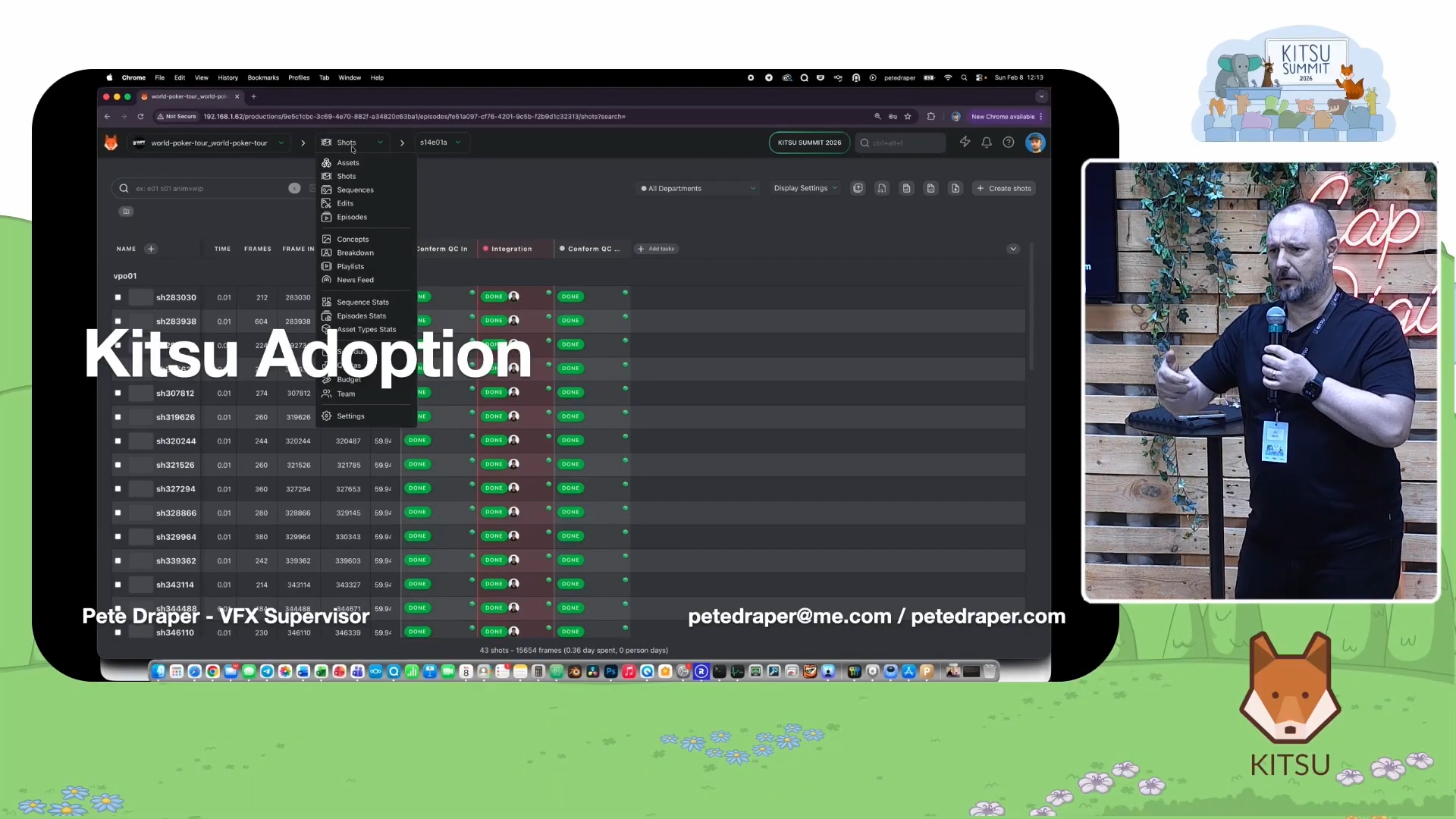
The usability point matters more than it might first appear. In a studio environment, a tracking tool only works if the entire team uses it consistently. A system that confuses artists or requires extensive onboarding creates friction at exactly the wrong moment, when deadlines are looming and shots need to move fast.
Kitsu also helped during the COVID pandemic. Remote work became manageable because artists could receive feedback and review versions from anywhere, as if their supervisor were sitting beside them.
Building the Ryff Pipeline on Kitsu
When Pete joined Ryff, Kitsu was his first major recommendation. But he did not simply install it and point people at it.
Over time, he and his team built an entire production infrastructure on top of it, using it not just as a review and approval tool but as middleware connecting multiple systems.
1. A Centralized Asset Library
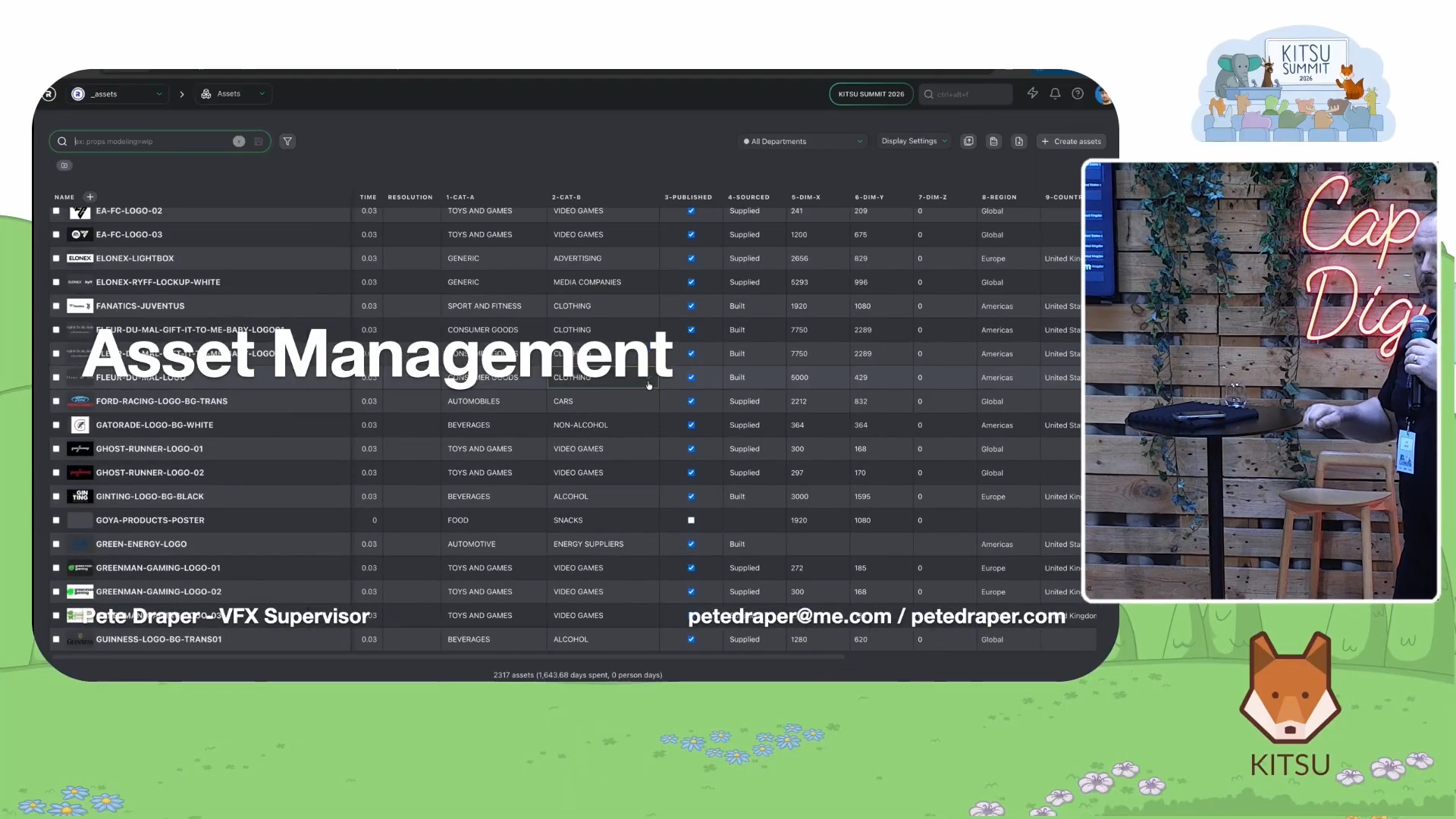
The first major building block was a shared asset library. Using a library structure originally developed by another contributor to the platform, the team built a repository for every brand asset that came through the pipeline: 2D logos, 3D models, digital out-of-home billboard structures, overpass models, and more. Every asset was linked to Ryff's S3 cloud storage and connected to active production projects.
The library grew to approximately 2,317 assets. Each asset carried metadata well beyond a simple name and thumbnail. Entries recorded the category (cosmetics, automotive, food and beverage, and so on), subcategories (alcoholic or non-alcoholic, for instance), the dimensions of the asset in millimeters for 3D objects or pixels for 2D, and whether the asset had been supplied by the brand, sourced from an artist, or built internally by Ryff.
The dimensions field had a direct practical application. Each placement in the Ryff system also carried a defined space parameter. By cross-referencing the two, the system could automatically flag whether an asset would physically fit within a given placement location, eliminating a class of errors that would otherwise only surface during compositing.
The library also tracked brand ownership and regional licensing, which gave the sales team a powerful lookup tool. As Pete highlighted, "Sales can then go: "show me everything that you've done for Chanel," and they can just pull every single shot."
2. Managing Clients as Projects
Each brand deal became its own project inside Kitsu.
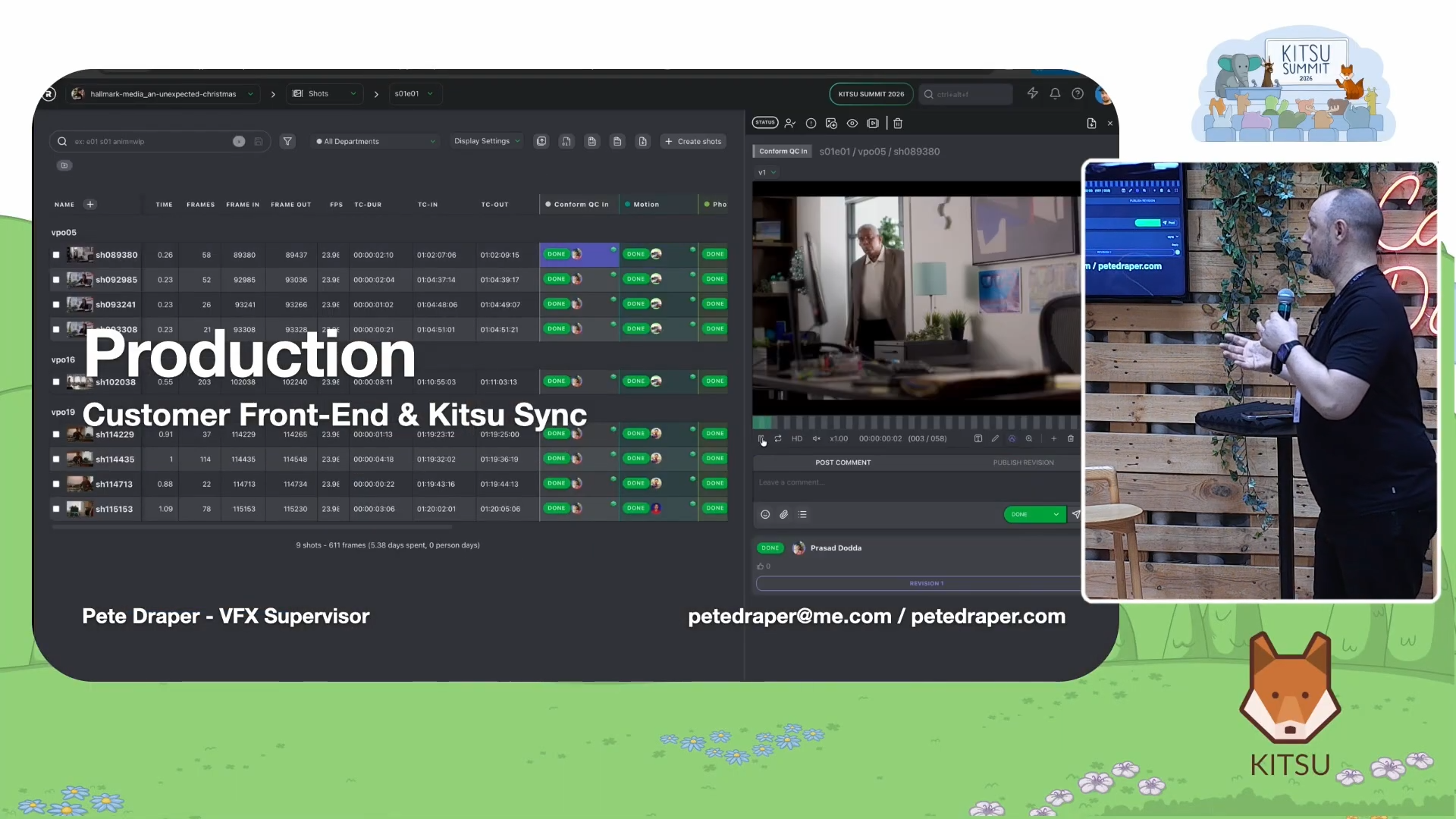
These projects tracked not just the shots being worked on but also which assets had been assigned to which placements, what the current status of each insertion was, and how it related to deals in the company's CRM and project management tools.
Connecting Kitsu to Jira proved painful. "Jira's API," Pete noted with barely concealed exasperation. "Has anyone dealt with that? Yeah, it's pretty bad." The practical solution was to manually copy the Jira ticket ID into each Kitsu project so that the two systems could be cross-referenced by a human without requiring a live integration.
3. Playlists as Version Control Across Campaigns
One of the more elegant uses of Kitsu in the Ryff pipeline involved playlists: because the same shot could be worked on for multiple brand campaigns simultaneously, version numbers alone were not enough to identify which render corresponded to which deal. Version 5 of a shot might be the correct output for one client, while version 8 was the correct output for a different client working on the same scene.
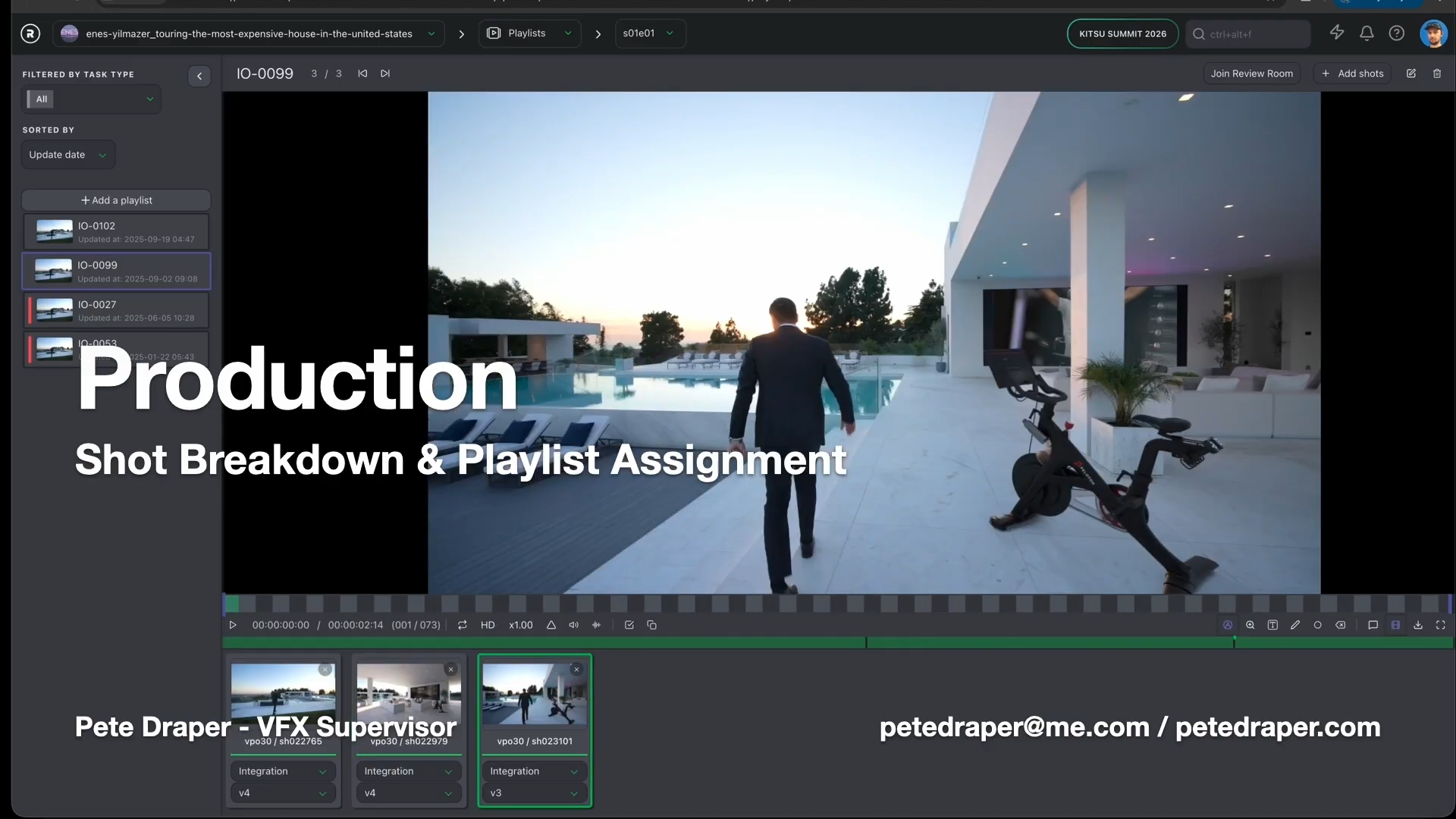
Pete's team solved this by naming each Kitsu playlist after the corresponding insertion order number. Because playlists lock to a specific version when you add a shot to them, and do not automatically update when a new version is published, the playlist became a stable record of which version belonged to which campaign. "By naming the actual playlist based on the same insertion order number, you got a correlation," he said.
4. Automating Project Creation from Resolve
Ryff used DaVinci Resolve as its primary compositing tool. This was a deliberate choice based on the need for precise grain matching, color space accuracy, and the ability to guarantee that the output matched the input down to a technical level. Resolve also supported genuine multi-user collaboration over a VPN, which mattered for a remote team of 20 artists.
Every video track in a Resolve timeline represented a single virtual product placement. Tracks were named VP1, VP2, VP3, and so on. Because Resolve stores its project data in a Python-accessible format, the team wrote scripts that could read the timeline structure and automatically generate shots in Kitsu without any manual data entry.
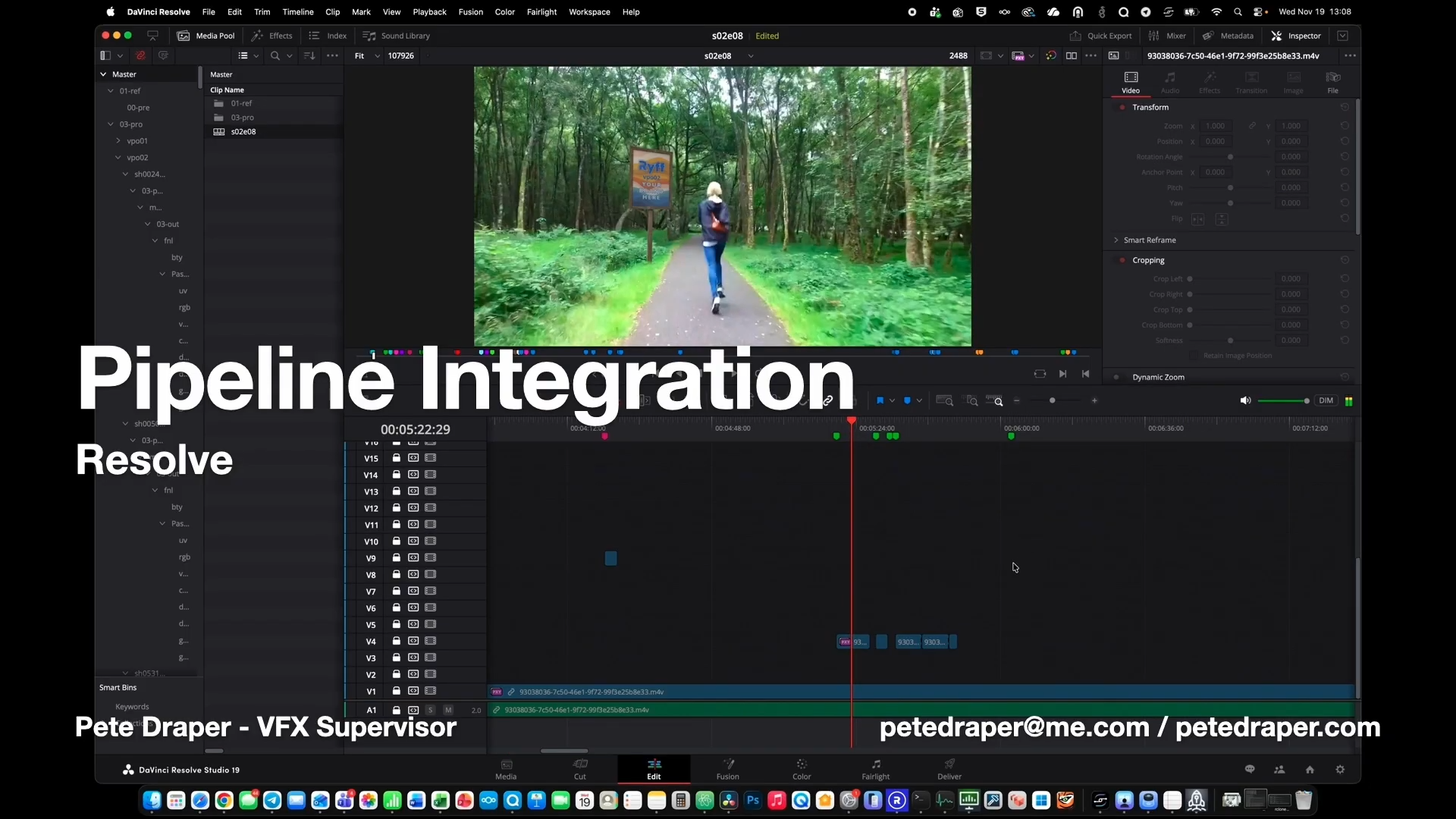
Initially, they exported the timeline information using OpenTimelineIO (a standard for exchanging editorial timelines between applications) and converted it to a CSV file formatted for Kitsu's import tool.
Later, they replaced that intermediate step with a script that talked directly to the Kitsu API from inside Resolve. Changing from the OpenTimelineIO-based approach to the direct API approach required about 30 percent rework, but it was faster and more reliable.
The script did considerably more than create shots: in a single automated pass, it would cut individual shot clips from the master episode file using FFmpeg (a command-line media processing tool), generate Kitsu-compatible H.264 preview files for each shot, create a JPEG sequence for matchmove work, build the folder structure on production storage, create the Kitsu project from a pre-built template, populate sequences and shots, upload the conform QC clips, and send a notification to department heads that everything was ready to work on.
The template project was its own innovation. Because the same artists worked on every show, and the task structure was nearly identical across projects, manually setting up each project was a significant time sink. "We were spending more time setting up the projects than actually doing them," Pete said. The template script read an existing project structure, including task types, task statuses, and artist assignments, and replicated it wholesale into a new project.
Coverage Metrics and the Art of Defending a Decision
One of the more unusual custom metrics the team built into Kitsu was what they called coverage value. This metric measured what percentage of the frame a brand placement actually covered, analyzed frame by frame across the entire shot duration.
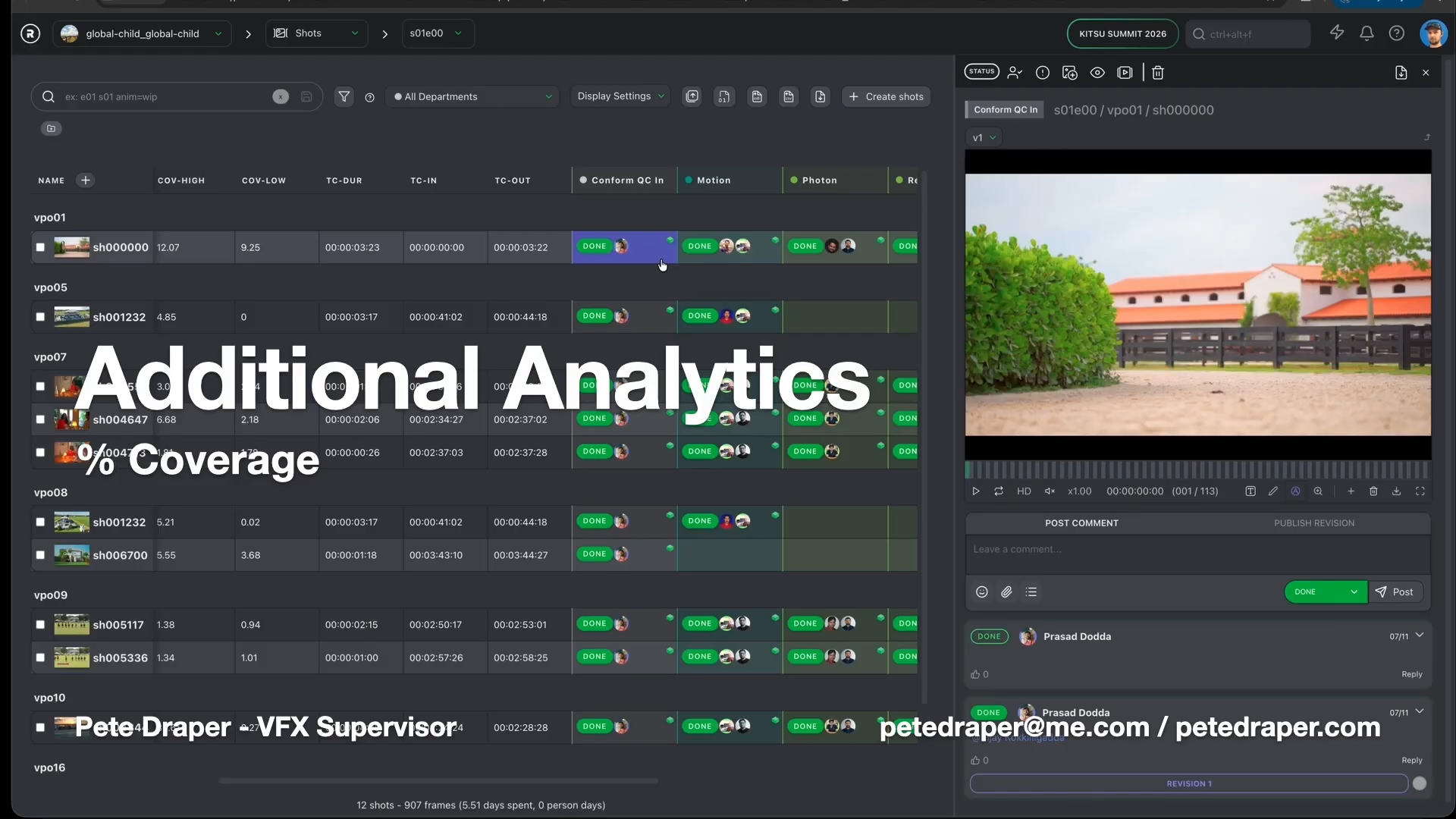
The reason for this was partly technical and partly political. Brand clients would often request that a placement cover a certain percentage of the frame to maximize visibility. "Sales will go to you: okay, we need something that's 20 percent," Pete said. "Sounds like a moderate number. 20 percent is that much of the entire flipping frame. That's a lot."
By calculating coverage percentages using basic computer vision techniques, comparing input frames to output frames and measuring the difference, the team could generate concrete evidence to support or push back against client requests: if a brand wanted 20 percent coverage and the data showed that would dominate the frame in a way the content owner would reject, Pete could show the numbers rather than argue from instinct.
The metric recorded a high value (the maximum coverage during a shot when the camera was zooming in), a low value (sometimes zero, when the placement moved off-frame), and an average across the whole duration. All three values were stored as custom fields in Kitsu.
Reporting, Notifications, and the Microsoft Problem
For much of Ryff's history, notifications flowed through Slack, which integrates natively with Kitsu via a webhook. When an artist's task was updated, a ping would appear on their phone or desktop within seconds.
Then company leadership switched to Microsoft Teams. Slack was cancelled. Google Drive was replaced by Microsoft SharePoint.
The migration created two separate engineering headaches. The first was getting the automated reporting, which had previously pushed data to Google Sheets in near real time, to work with SharePoint-hosted Excel files instead.
"I could pull my own teeth and have a more pleasurable experience," Pete remarked about working with SharePoint's Python API.
The additional complexity required multiple authentication steps just to log in, and the real-time update behavior was gone because Excel locks the file when someone has it open.
The second problem was notifications. Kitsu does not natively support Teams.
The team's solution was to build a custom listener service that ran on the Kitsu server, monitored events, and routed individual notifications to specific Teams users via Azure. They avoided the Teams webhook approach, which would have sent every notification to a shared channel, overwhelming everyone. Instead, each notification went directly to the person it concerned.
They also built automated timesheet reminders. A script checked each morning whether any artist had failed to log hours in the past three days and sent them a personal notification through the Teams service. Routing the reminder through the notification system rather than a public call-out reduced the embarrassment factor and improved compliance.
The Final Numbers
By November of the year Pete left Ryff, a single Kitsu instance held 543 active projects (not counting individual TV episodes separately), 2,317 assets, and 18,300 shots. All of this ran on one server, with media stored on a mounted S3 bucket. The team size was around 20 artists working entirely remotely.
The turnaround time for a full episode of the World Poker Tour, including AI detection, compositing, quality control, and delivery, had compressed from a week and a half at the start to 24 hours.
Key Takeaways for Animation Studios
Pete Draper's talk was specific to a somewhat unusual business model, but the lessons translate directly to any studio managing multiple projects, multiple clients, or both.
A production tracker only works if everyone uses it, and that means it has to be approachable for artists, not just supervisors. Kitsu passed that test from day one at both of Pete's studios.
Automation eliminates the setup tax. Standard shot tracking fields cover the basics, but fields specific to your workflow (coverage percentages, timecode offsets, asset dimensions, insertion order IDs) make your tracking system a decision-support tool rather than just an administrative record. Playlists can serve as a versioning ledger.
And perhaps most importantly: build toward a connected system. Kitsu works well as a standalone tracker. It works much better as a hub that receives data from editing tools, pushes notifications to communication platforms, feeds reporting dashboards, and links to asset storage. The more systems you connect to it, the more return you get on the investment of maintaining it properly.