
In a small team, everyone talks to everyone and problems get solved by turning around in a chair. At fifty people, that same habit creates noise and delays.
System thinking (designing repeatable processes instead of relying on individual heroics) is hard to learn without having seen it inside a larger studio. Many artists only realize this when a project slips because no one has defined who approves shots, where files live, or how feedback is tracked. Multiply that by ten new hires and a deadline, and chaos follows.
The challenge is building structures that make good work predictable. And the solution is to deliberately design how information, assets, and decisions flow before growth forces painful lessons.
In this article, we define best practices to help you plan ahead.
1. Layered Team Structure
When a studio has five artists, everyone touches everything and decisions happen in the same room. At fifty, that model only leads to confusion.
It's important to put a layered team structure in place early by defining departments like animation, rigging, lighting, or compositing, supervisors who own creative and technical direction, and artists who execute within that scope. The supervisor is the person accountable for final quality and approvals, not just the most senior animator. Once each department has a clear supervisor and a single approval path, feedback flows through one channel and shot turnaround time drops.
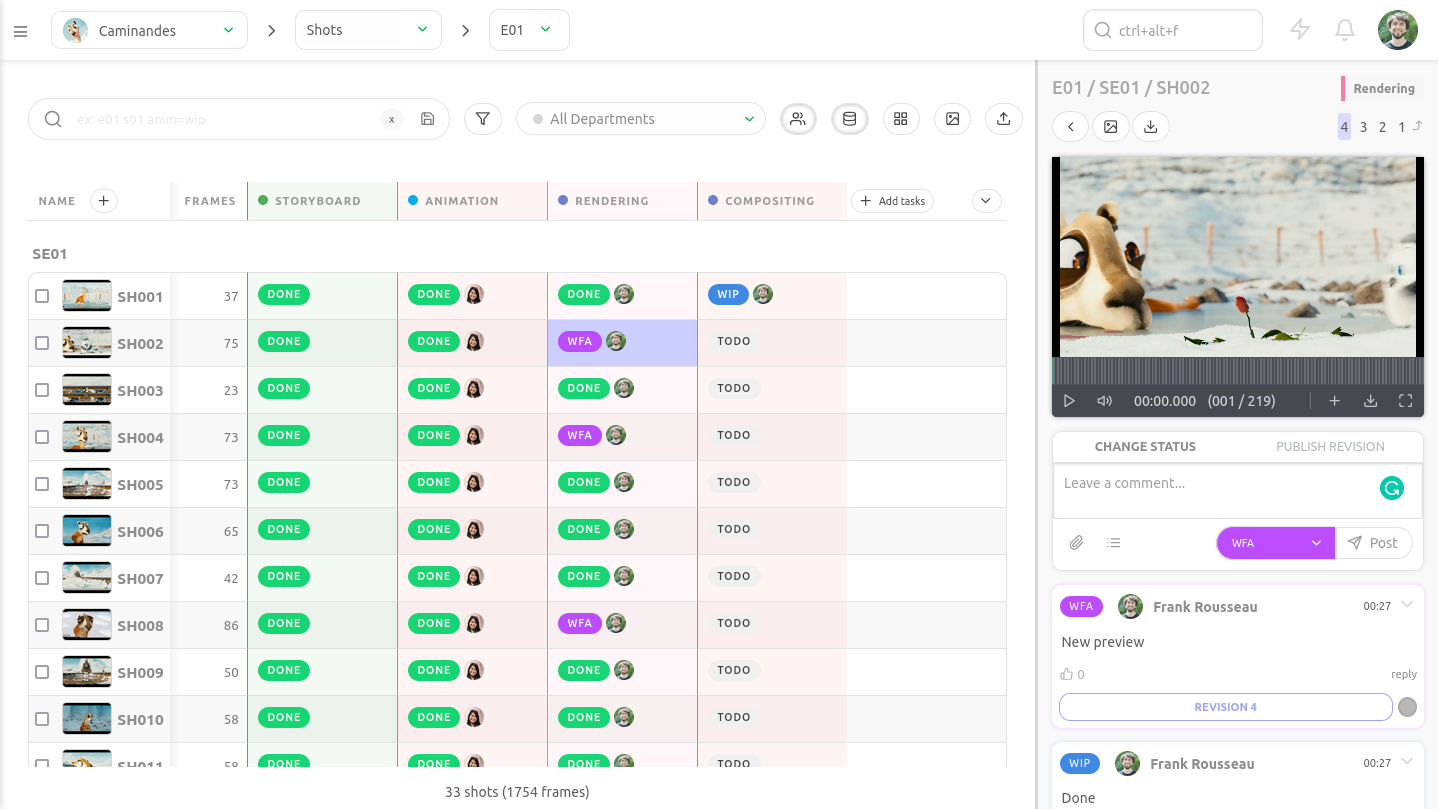
Departments should be divided to reduce cross-department dependencies, to design pipelines that allow teams to work in parallel instead of waiting on each other. A dependency is any task that blocks another task from starting. You can also standardize rigs, naming conventions, and publish processes so animation does not wait on last-minute rig tweaks.
A clear team structure also makes it easy to keep your budget under control as you scale and track your burn rate (how fast cash is spent each month) to guide staffing decisions. When production sees that adding two mid-level animators keeps the burn rate aligned with delivery milestones, hiring is no longer a gamble.
2. Centralized Asset Management
You need to centralize asset management early, because five artists can shout across the room for the latest rig, but fifty cannot.
Asset management originates from a simple need: everyone must always work on the most up-to-date asset. There is nothing more frustrating than seeing a lighting artist spend half a day polishing a shot, only to discover the character rig is two versions behind. It's important to quickly replace scattered folders and casual file sharing with a single source of truth where approved files live.
Spreadsheets may seem enough to track shots and versions, but they collapse the moment three supervisors update them at once or someone forgets to log a change. Google Drive is attractive because you are already familiar with it, but you can't easily version assets and preview renders will eat up your storage quota fast.
The fix is simple: store all production assets on a secure server with controlled access, so files are not passed around manually and permissions prevent accidental overwrites. Lock down DCC tool choices, sharing file formats, and introduce versioning strategies.
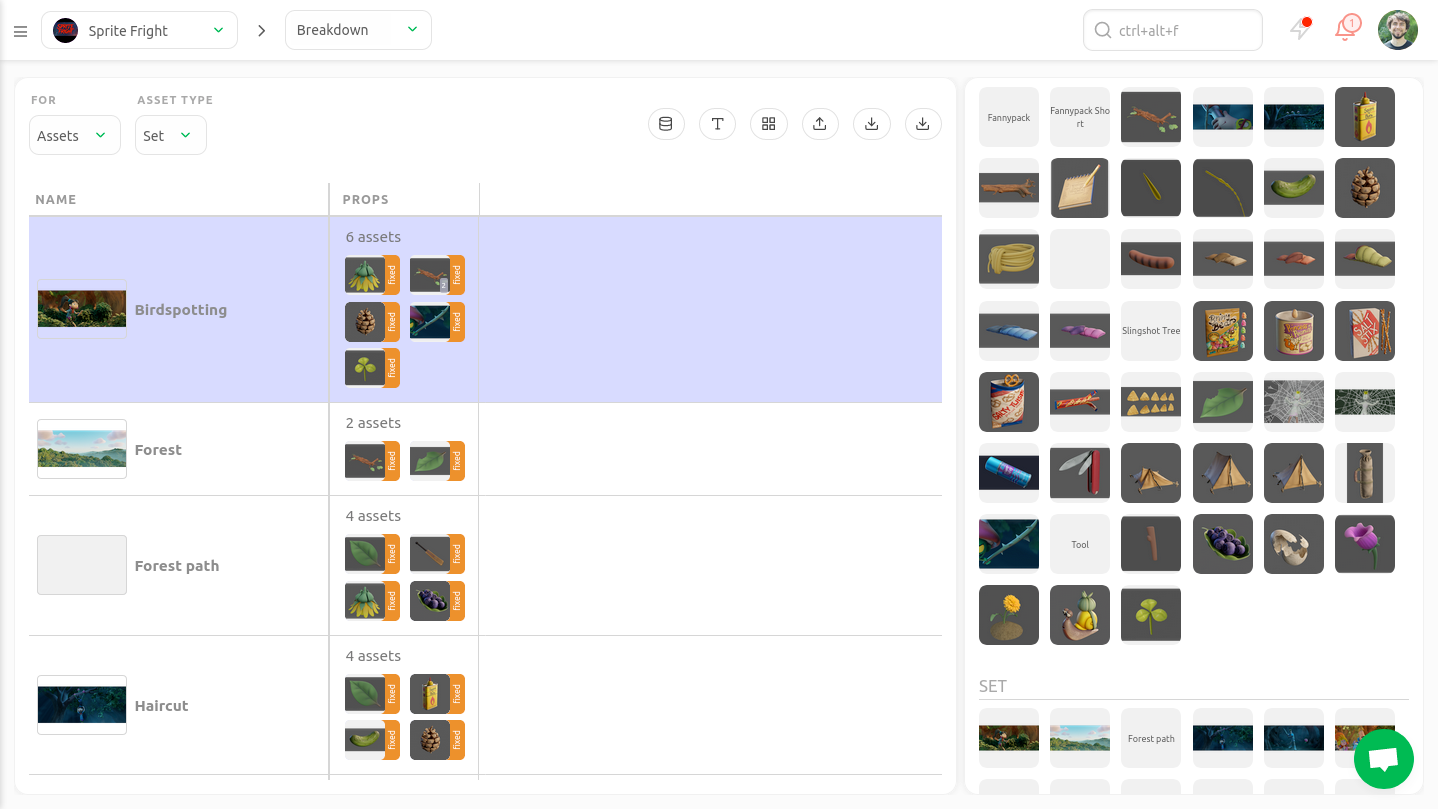
Versioning means saving incremental, clearly numbered iterations of a file so changes can be tracked and rolled back. Instead of letting artists rename files "final_v7_reallyFinal," you can enforce automatic version publishing through your DCC pipeline. A practical example: when a rigger publishes a new character to Kitsu, the system increments the version. Animators open shots and automatically reference the latest approved rig.
3. Tracking & Documentation
In a large studio, accountability no longer lives in casual conversations.
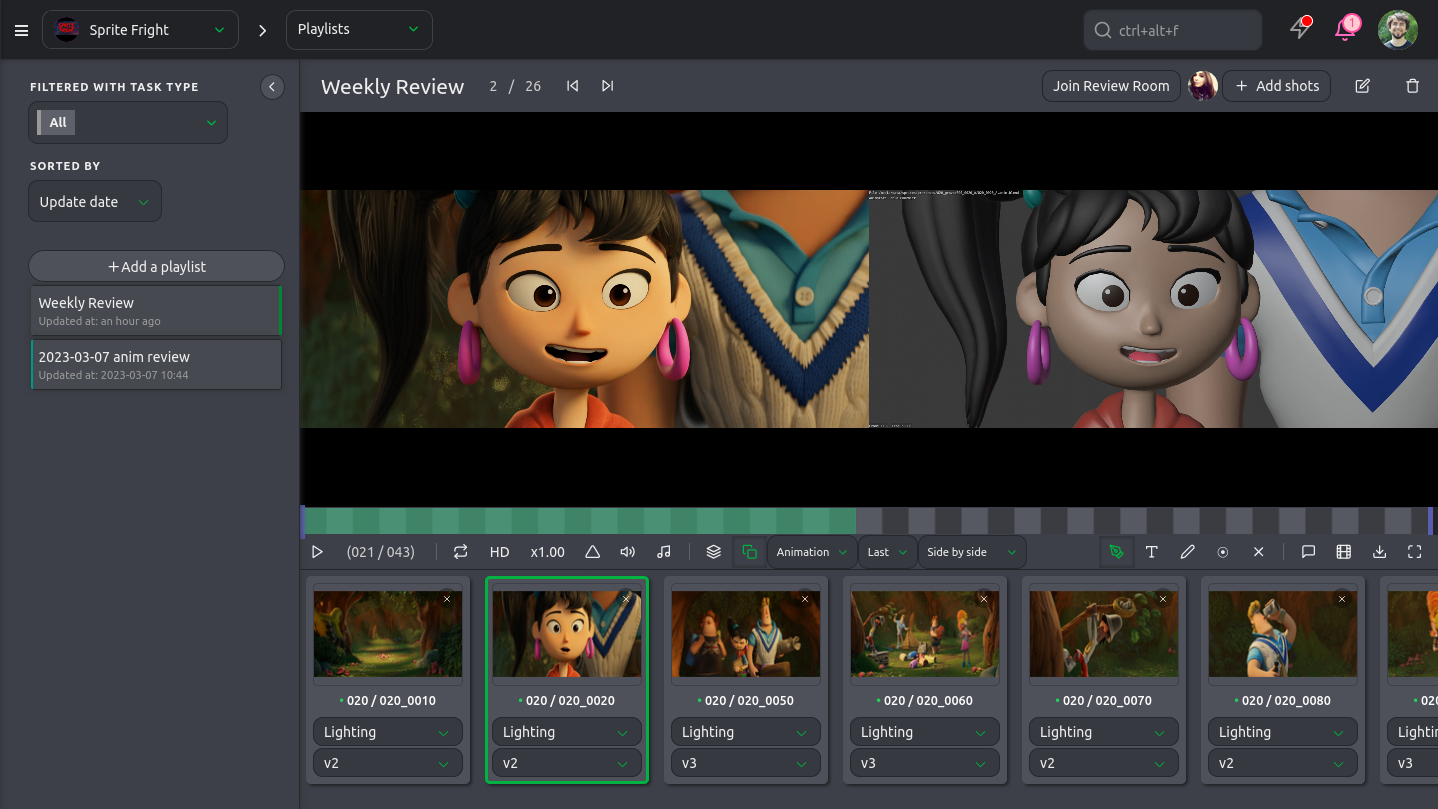
You need a production tracker as a shared system to assign tasks, deadlines, and owners in one visible place.
In Kitsu for example, you can set up every concept, asset, shot, and scene as a trackable task, and assign one clear owner.
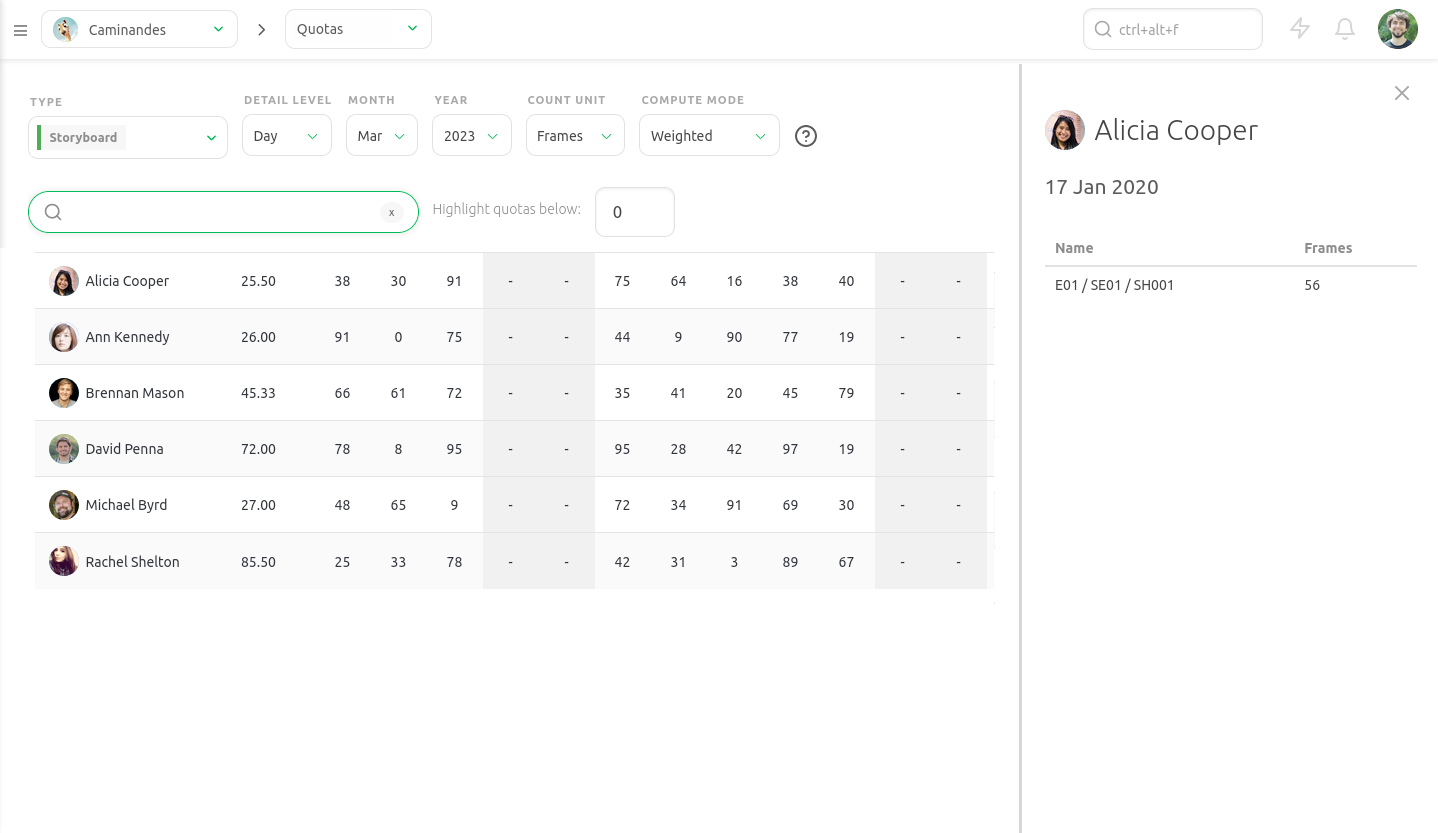
In a small team, everyone remembers who is polishing the walk cycle. In a larger team, two animators may assume the other is handling it. A simple tracker prevents that confusion by making responsibility explicit.
Pair this with defined milestones so progress is measured against concrete checkpoints rather than gut feeling.
Documentation must also scale with headcount. You need a knowledge base to centralize tools, processes, and conventions to make them by everyone. For example, create a studio wiki in tools like Notion or Confluence and require artists to document new tools and fixes as part of their task completion.
Last but not least, make use of forecasting tools to spot delays early. If layout consistently overruns by two days per sequence, adjust bids and staffing before deadlines slip, not after clients complain.
4. Structure Review Loops & Team Communication
Feedback cycles also require structure.
A review loop should be a scheduled, repeatable process where work is submitted, reviewed, revised, and approved in clear stages.
Written communication is also critical because it creates a record and removes ambiguity. Make submissions happen at fixed times each week and require artists to attach a short written intent note explaining what changed and what feedback is requested, or use asynchronous comments that don't require everyone to be present at the same time to reduce meeting overload.
A review engine like Kitsu's centralizes versions, notes, and approvals, to prevent feedback from getting lost in chat threads:
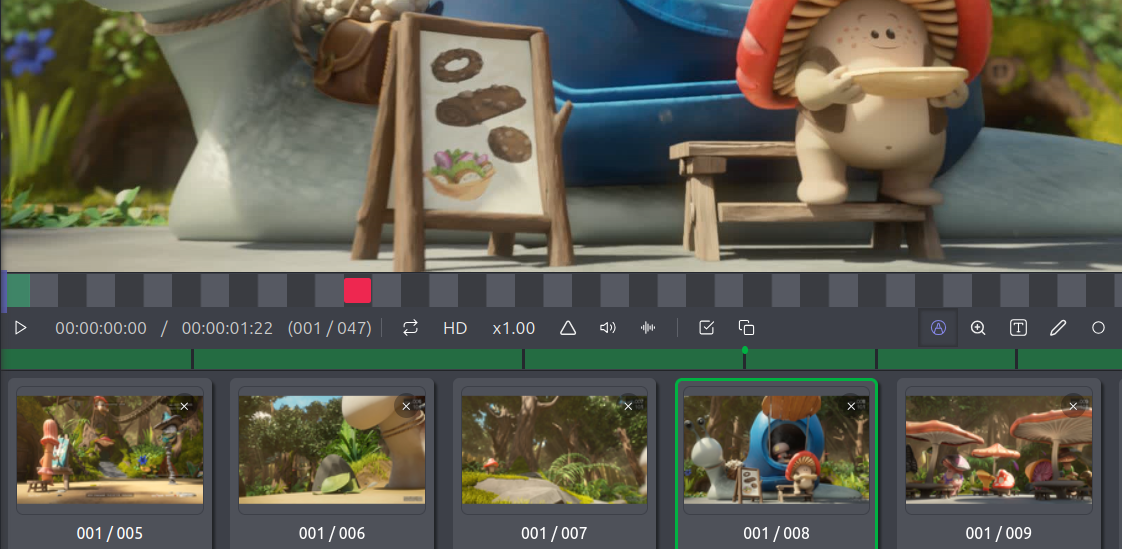
You can combine it with a messaging platform for quick clarifications while keeping final notes inside the review system. Many teams discover that when supervisors stop giving major notes in private messages and instead post them publicly in the review tool, alignment improves and duplicate work drops significantly.
5. Infrastructure & Pipeline Management
Infrastructure stops being a background concern when a studio grows. At fifty artists, fifteen minutes of daily friction per person waiting for files to sync, relinking textures, and re-rendering broken shots, adds up to more than twelve hours of lost production time every day.
A dedicated pipeline team is important. Instead of having everyone patch problems as they appear, you can have one pipeline team owning standards, versioning, and automation so artists can stay focused on shots. Technical artists handle multiple key components of an animation studio:
- A NAS (Network Attached Storage) ensures everyone works from the same source of truth. Instead of copying files over chat, assets are published to a single location.
- Backup and redundancy protect against disaster. One corrupted drive should not freeze a 50-person studio. Automated nightly backups and mirrored servers prevent panic.
- A scalable render farm keeps lighting from blocking animation.
- Custom automations quickly add up when you're handling hundreds of thousands of frames throughout a production.
Conclusion
Scaling an animation studio isn't just about hiring more artists: you need to design a system that lets more artists succeed without stepping on each other.
Decision-making needs layers. Assets need structure. Tasks need visibility. Feedback needs process. Infrastructure needs ownership. What once lived in conversations and shared intuition must evolve into documented systems and clearly defined responsibilities. Each of these systems reinforces the others, and together they support your studio's growth.
If you want to scale smoothly without sacrificing quality or culture, you need tools that support this structure. That's where Kitsu comes in. Built specifically for animation and VFX studios, Kitsu helps you centralize tracking, manage assets, structure reviews, and maintain visibility across departments in one place. Scale with confidence with the right systems!