

The animation producer is the person who makes sure an animated project gets made: they manage the budget, help to build and oversee the production schedule, hire the crew, and coordinate across departments. They are the bridge between the creative team and the business side with time and money constraints.
But that job is much harder without solid production tracking.
A streaming platform doesn't care that your lead animator got sick in week four, and the only way to hit a deadine without destroying your team is to see trouble coming weeks out.
A modern animation production might have layout in one country, cleanup in another, and the director reviewing from a laptop in a third time zone. When communication happens asynchronously across those gaps, a shot can sit in limbo without anyone noticing.
A single episode can involve hundreds of individual shots, each passing through eight or more departments. No producer, however talented, holds all of that in their head.
For all these reasons, you need a production tracking system in place: in this article, we focus on 7 key reports you need to have to keep your production steady and how to efficiently obtain them.
Of all the reports that should be available to a producer, the production state report stands above the rest as the baseline document the entire production depends on.
1. Production State Reports
The weekly production state report is probably the most important document on a production to keep track of schedule deviation.
Shots need to be tracked by status across every department, and velocity (shots completed this week versus shots planned) needs to be measured against the schedule. A show that completed 40 shots in week six when the plan called for 55 is running behind by a number that translates directly into risk to the delivery date.
Cumulative completion percentages per sequence matter more than overall totals: a production that's 60% complete overall but has one sequence at 20% and two weeks left on that sequence has an underlying problem that needs to be addressed and solved. Any shot status that hasn't moved in five or more business days should be automatically flagged as stalled.
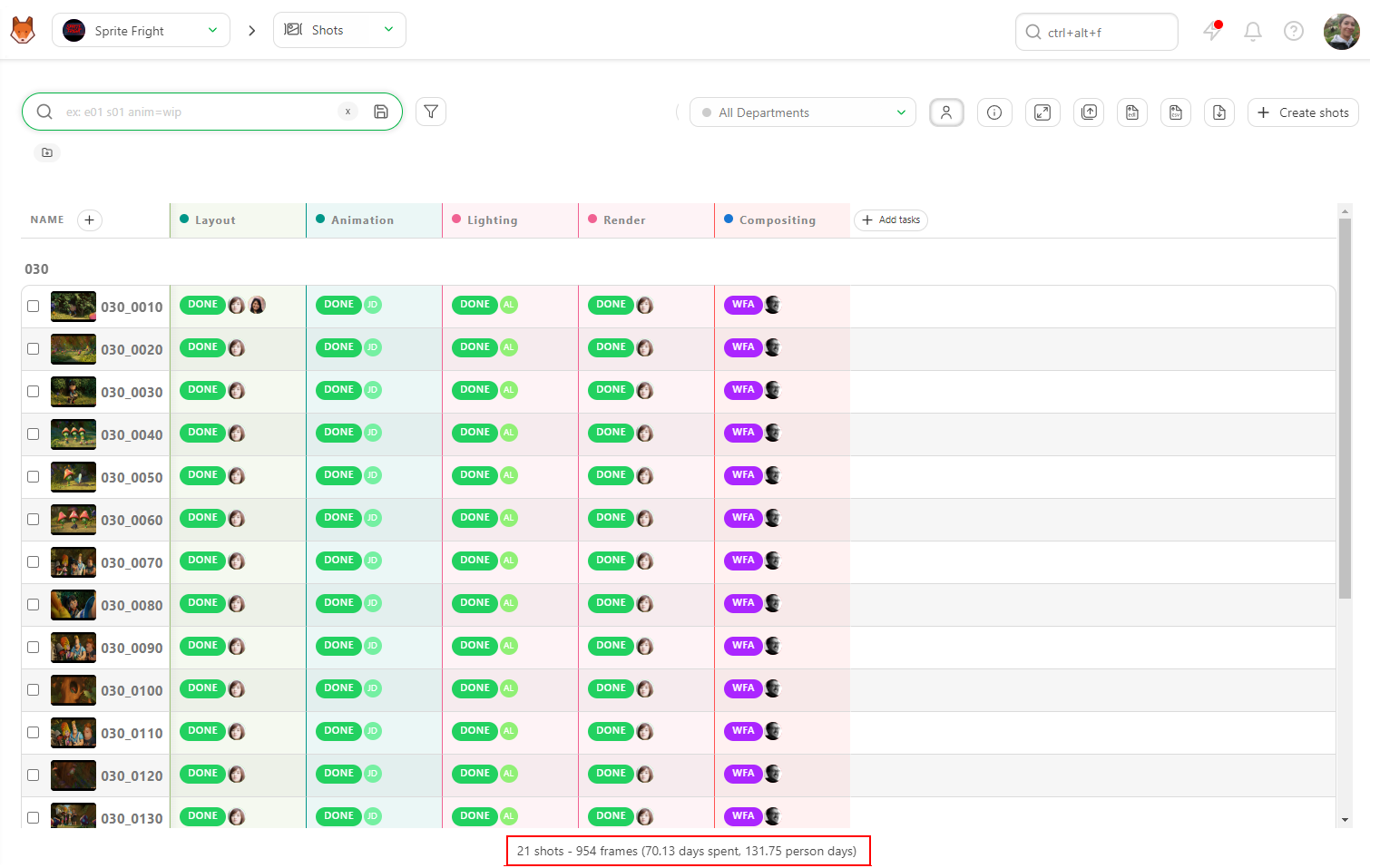
Kitsu's task dashboard and filtering features make it possible to pull shot status across all departments in real time:
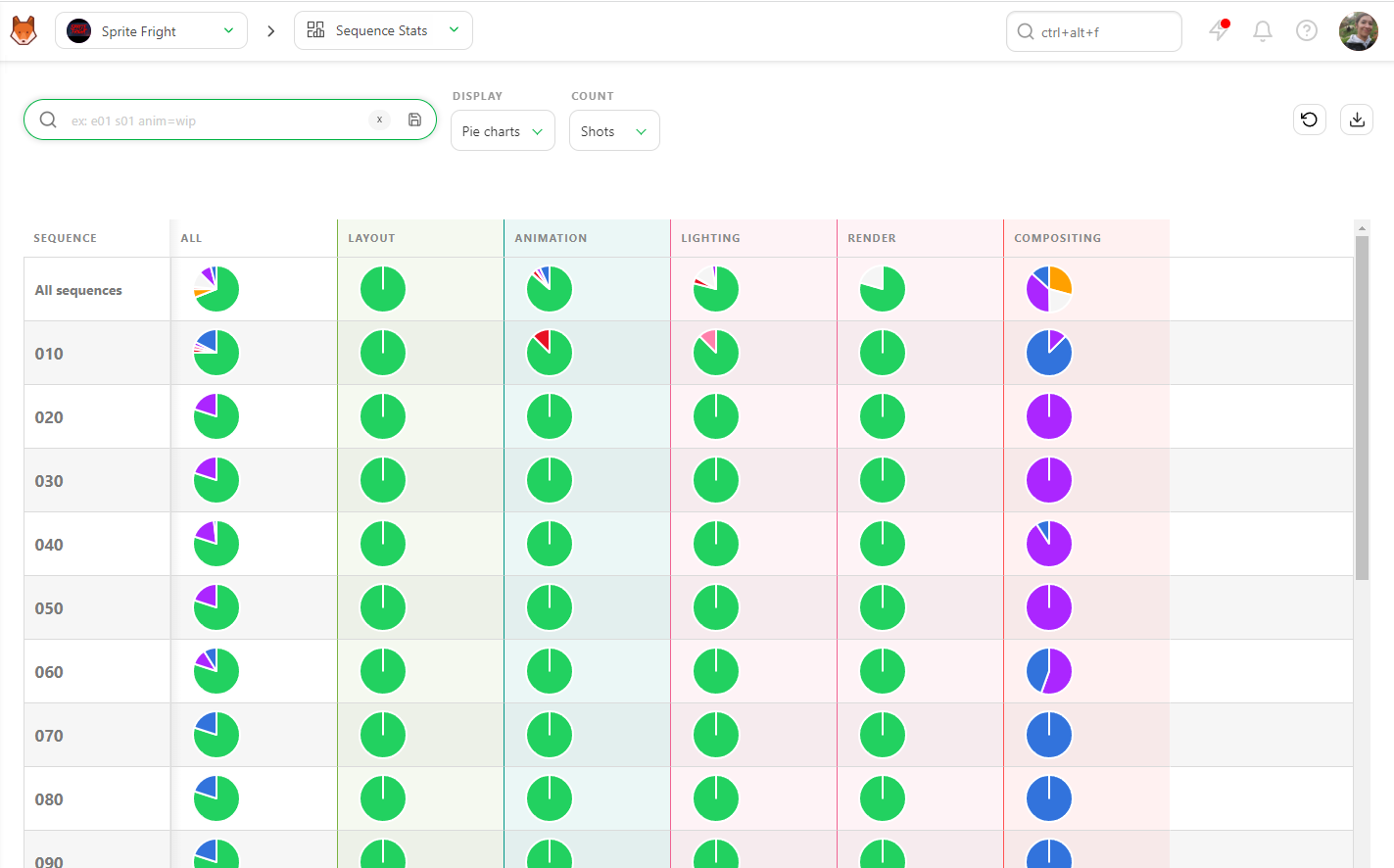
And reporting views can be exported to share with key stakeholders to show the overall progress:
But knowing where your shots stand means little if you don't also know who's available to move them forward.
2. Studio Occupancy and Capacity
Carrying unfilled budgeted seats during a production peak is one of the quietest ways to blow a schedule. Occupancy needs to be tracked weekly, per department: seats filled versus total available, with artist availability (holidays, sick days, part-time contracts) mapped into the schedule before those absences hit.
Leverage comes from cross-referencing current headcount against upcoming peak phases: if three key positions are budgeted but unfilled, and the heaviest animation work starts in six weeks, you have six weeks to hire.
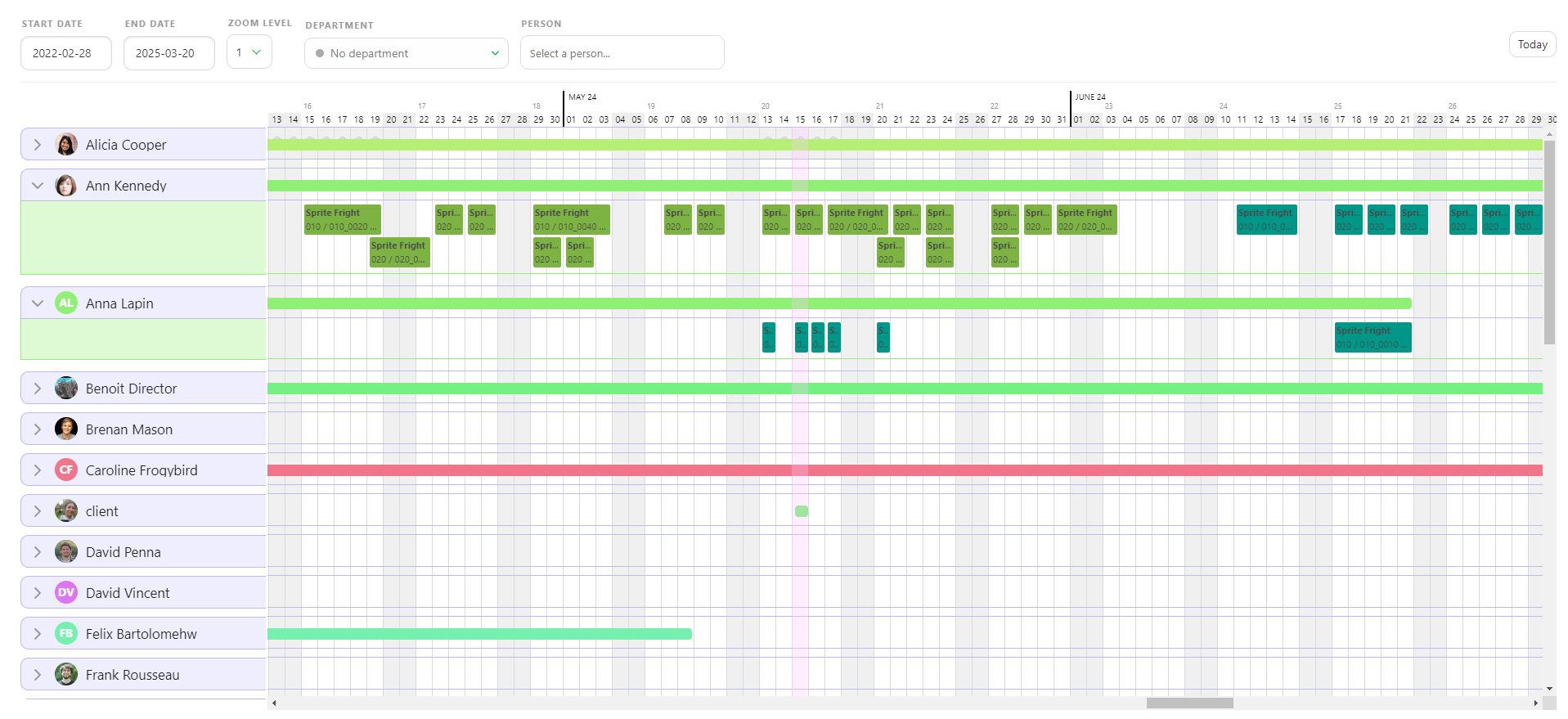
Kitsu tracks team structure and can be cross-referenced with schedule data to map workload against headcount before the gap becomes a blocker. The result is the Team Schedule page:
Once you know how many seats are filled, the next question is whether the people in those seats are delivering what the schedule requires.
3. Artist Quotas and Output Tracking
A quota is a measurable amount of work (e.g. number of tasks) an artist is expected to complete within a given timeframe. A quota system converts vague expectations into measurable weekly commitments: an animator assigned three medium shots per week either delivered three shots or didn't, and the answer matters for the conversation a producer or supervisor needs to have.
Quota objectives needs to be reported weekly, and it needs to distinguish between output the artist couldn't produce because of their own pace versus output they couldn't produce because upstream departments hadn't delivered the assets they needed. Blaming a compositor for low output when layout is three days late sending approved shots upstream is both unfair and analytically useless.
Quota patterns over a rolling window are also much more useful than absolute values. A single bad week can be noise, because of a complex shot, a sick day, or just a difficult note.
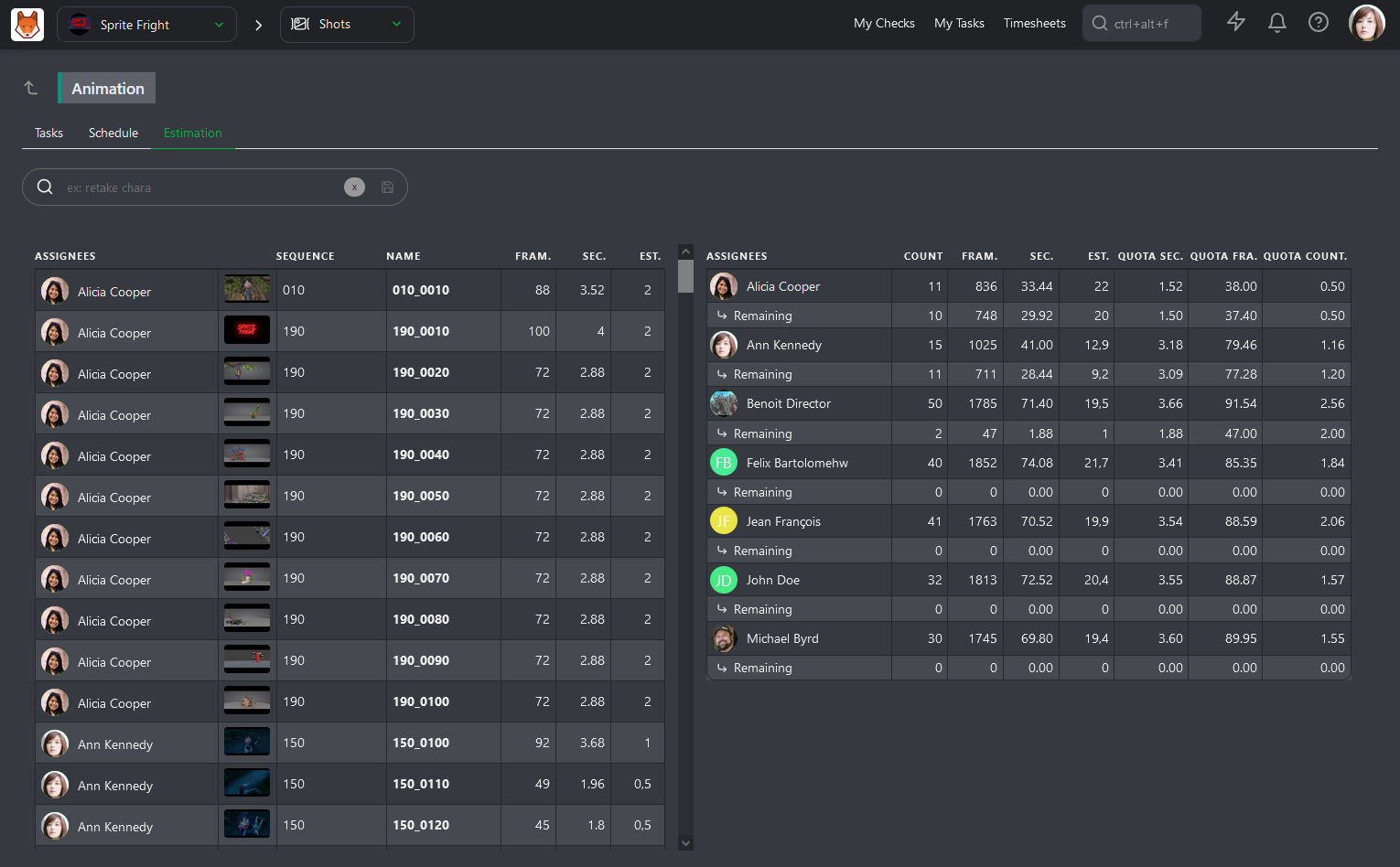
Kitsu assigns tasks per artist with due dates and tracks completion, giving leads and producers a per-person output view in the Quota page that's reviewable in a weekly standup without requiring a separate spreadsheet.
Quota data tells you whether work is getting done but timesheets tell you what that work is actually costing you.
4. Timesheets and Hour Tracking
A task that runs long is not, by itself, a problem. The problem is not knowing why it ran long.
Without logged hours broken down by task type or status (animation, revisions, review), there's no way to distinguish a task that was mis-estimated from a task that got buried in revision cycles. Both outcomes look the same on a schedule, but they require completely different responses.
That's where artist timesheets are useful to keep track of how much time is spent on which task.
Timesheet data, aggregated monthly across similar task types and complexity tiers, is also important for future bids. A studio that tracks actuals systematically builds a real cost database for the work it does.
Kitsu includes built-in timesheet logging at the task level, so artists can log hours directly against shots and task types without having to leave the production tracker.
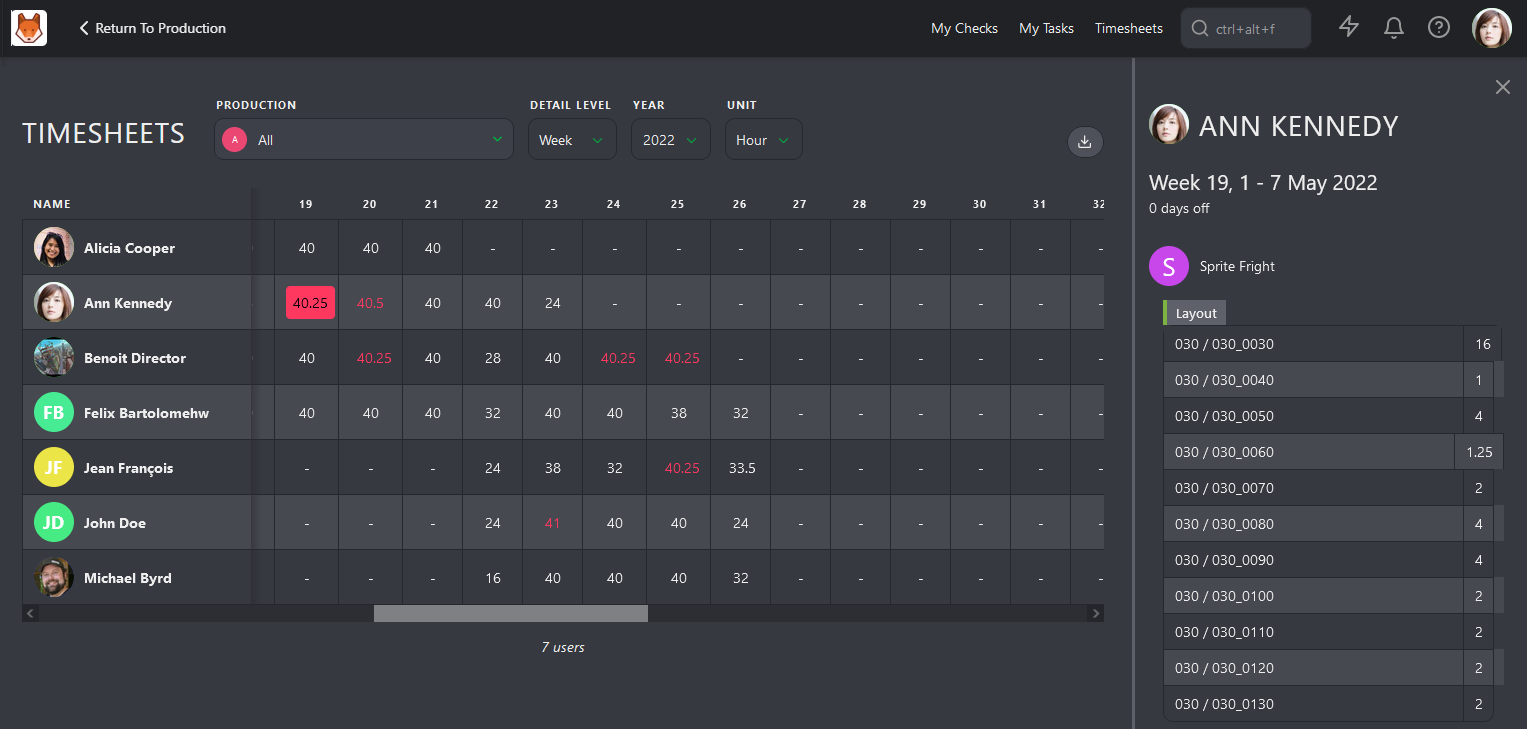
You can then use hour tracking to create better estimates.
5. Actual vs. Estimated Durations
Estimation drift between what work was expected to take and what it actually takes is a common cause of bid overruns. It's also fixable, because it accumulates a paper trail if you're recording the right data.
Actuals versus estimates, reported weekly per shot, sequence, and department, give producers a live view of where estimates are holding up and where they're not.
An estimation accuracy score per department identifies systematic under-quoting. A studio that discovers its cleanup department is consistently running 40% over estimate on complex shots can use that data to recalibrate its next two bids and win both without leaving money on the table.
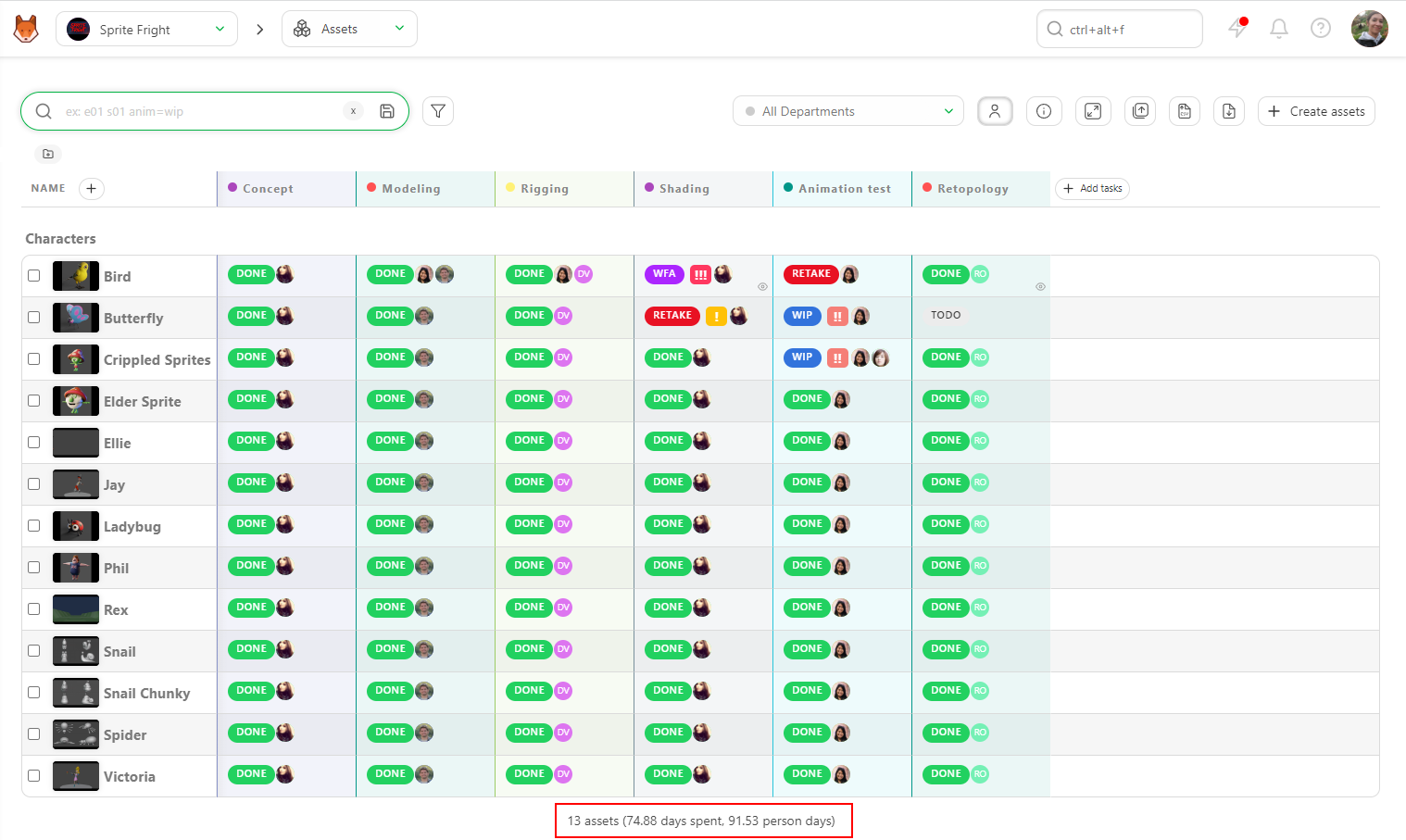
Kitsu stores estimates at task creation and records actual durations on completion, making variance reports per shot, sequence, or department straightforward to produce. You can see the Duration versus Estimation summary at the bottom of shots or sequences pages:
Even with accurate estimates and strong quota management, some tasks will still run late.
6. Late Task Analysis
A list of overdue tasks tells a producer what's late, but it doesn't tell them why. Every late task deserves a root cause category: upstream dependency, revision overrun, resource gap, scope change, technical blocker... A one-line explanation from the supervisor, logged at the point the task misses its date, costs sixty seconds and creates a record that compounds in value over time.
A weekly late task report sorted by days overdue creates urgency proportional to actual risk. Recurring root cause categories become process failures that can be addressed. For example, a studio that noticed 70% of its late tasks fell into "upstream dependency" fixed a single handoff protocol between animation and compositing and cut its late task rate in half within two episodes.
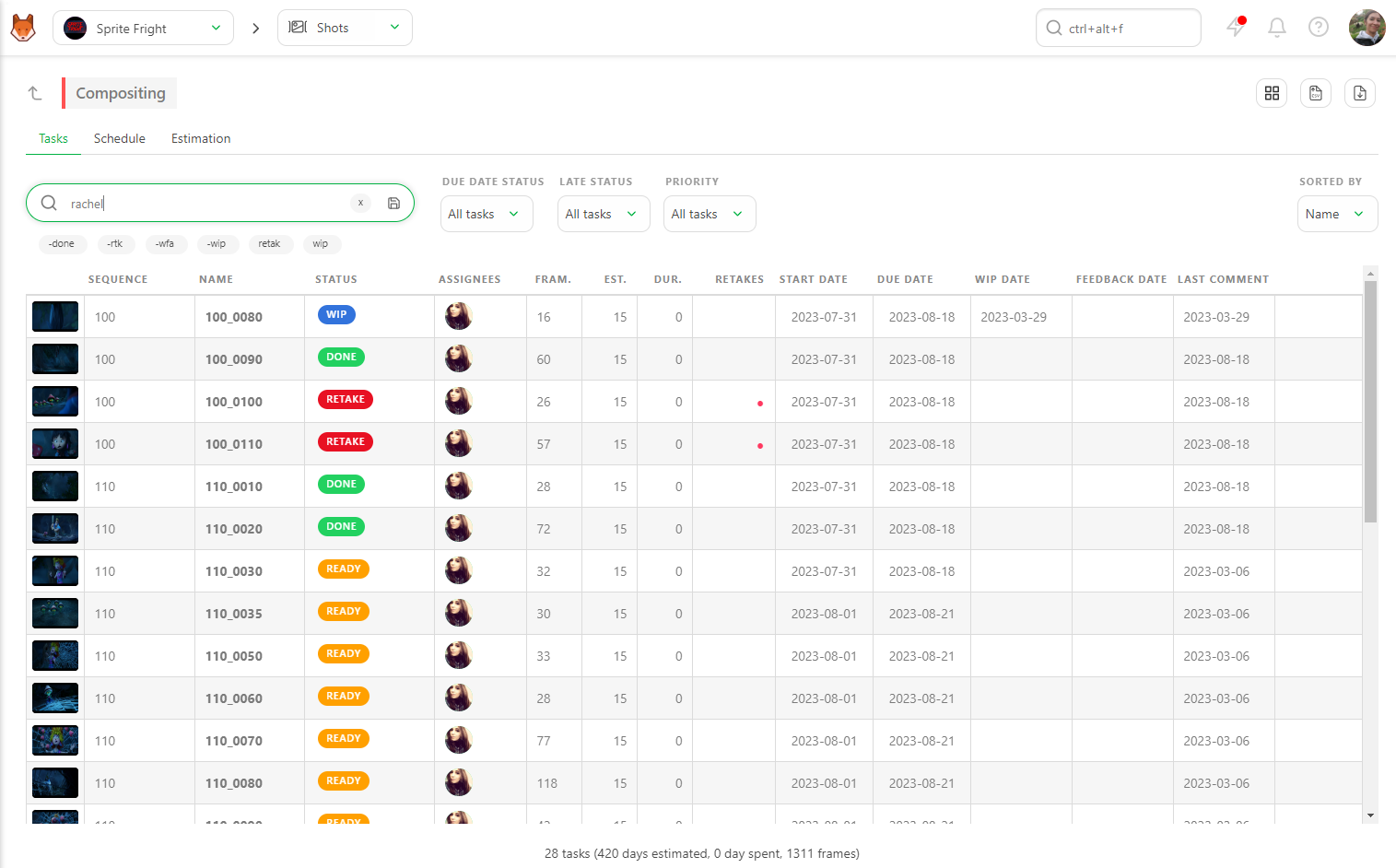
With Kitsu, you can investigate four common reasons for late tasks: the artist is overwhelmed with too many tasks, there is too much back-and-forth on a task, the task is underestimated, or the previous task was already late. All you have to do is to review the artist's work or the corresponding task's histories:
Root cause analysis keeps individual tasks from becoming recurring problems but there's one report that ties all of these signals together into a single view of production health: your budget!
7. Budget Tracking
A production budget has two main moving parts: labor costs and license costs.
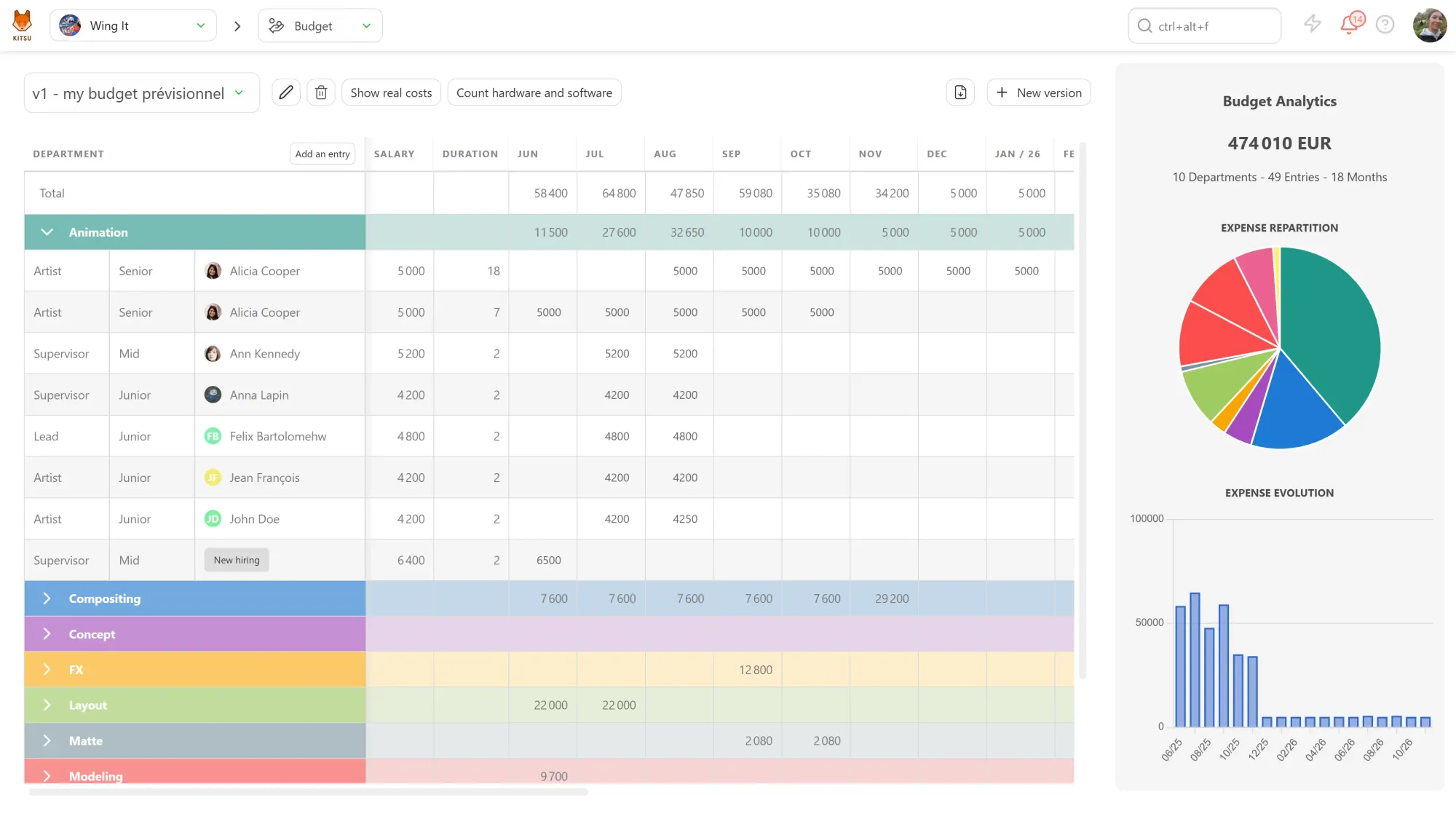
Every artist has a daily or weekly rate. Multiply that by their scheduled days on the show and you have your committed labor cost per department. As the production runs, you track days logged against days planned. When those numbers diverge, you need to know which department, by how much, and how much work is still ahead of it.
Non-labor costs follow the same logic. List every licensed tool your pipeline depends on, assign each one to the department that uses it, and register the cost alongside labor. A render farm license that isn't attributed to lighting just hides until someone asks why the department is over budget.
Once a week, you can compare committed costs against your approved budget by department. If the remaining budget no longer covers its remaining work at the current burn rate, you can either reduce scope, adjust rates, or bring in support.
You can register each artist's rate and license costs in Kitsu against their department, as well as day-offs:
Key Takeaways
Production tracking only works if the data going in is accurate and current, so Producers need to build reporting into the production pipeline. A producer who fights for consistent timesheet submission, clear status updates, and honest root cause notes on late tasks builds the feedback loop that makes the next production faster, cheaper, and less stressful than the last one.
The seven reports covered in this article aren't very useful on their own, but together they'll help you go through production on-time and on-budget.
To start tracking your production today, try Kitsu for free and see how much clearer your production looks when everything is in one place.